How to introduce AI into a development team
For CTOs and engineersAI in the dev team · Updated

Filip Papranecfounder of Digitaliko
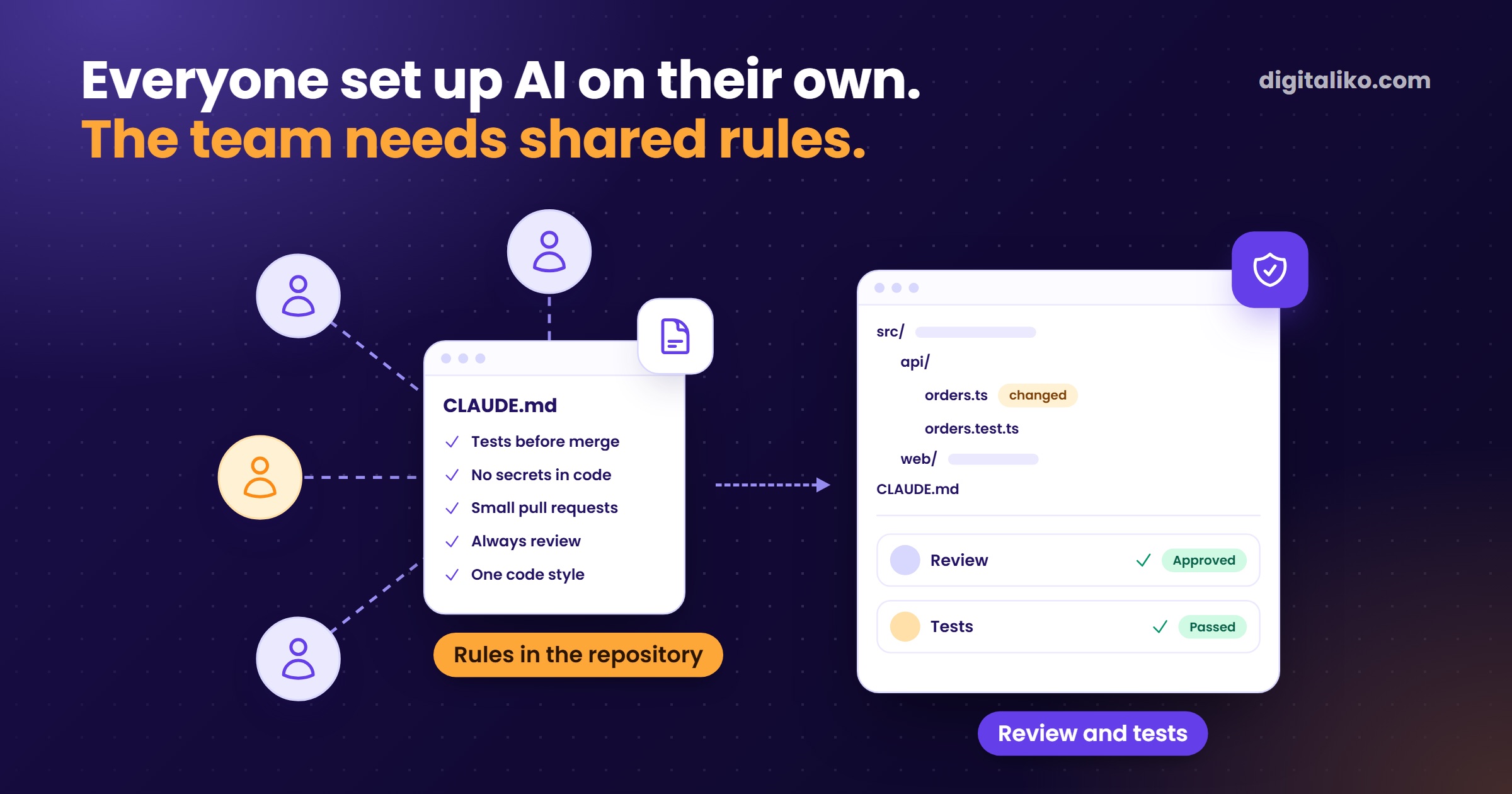
You introduce AI into a development team by first agreeing on shared rules, checks and one owner. Choosing the tool comes second. The team usually buys it on its own before the company gets around to choosing.
What is missing is the shared layer around the tool: rules in the repository, review by someone other than the author, and tests that stop bad code. Below is the approach we use ourselves and with the teams we help.
AI writes all of our code today. A senior is accountable for the result. Before this, Filip spent 7 years building a SaaS used daily by 60,000+ people.
Why does AI adoption in a team fail even when everyone uses it?
Because the problem is not the tool. The typical company plan goes: pick a tool, then a method, then oversight. By the time the comparison spreadsheet is finished, developers already use agents every day.
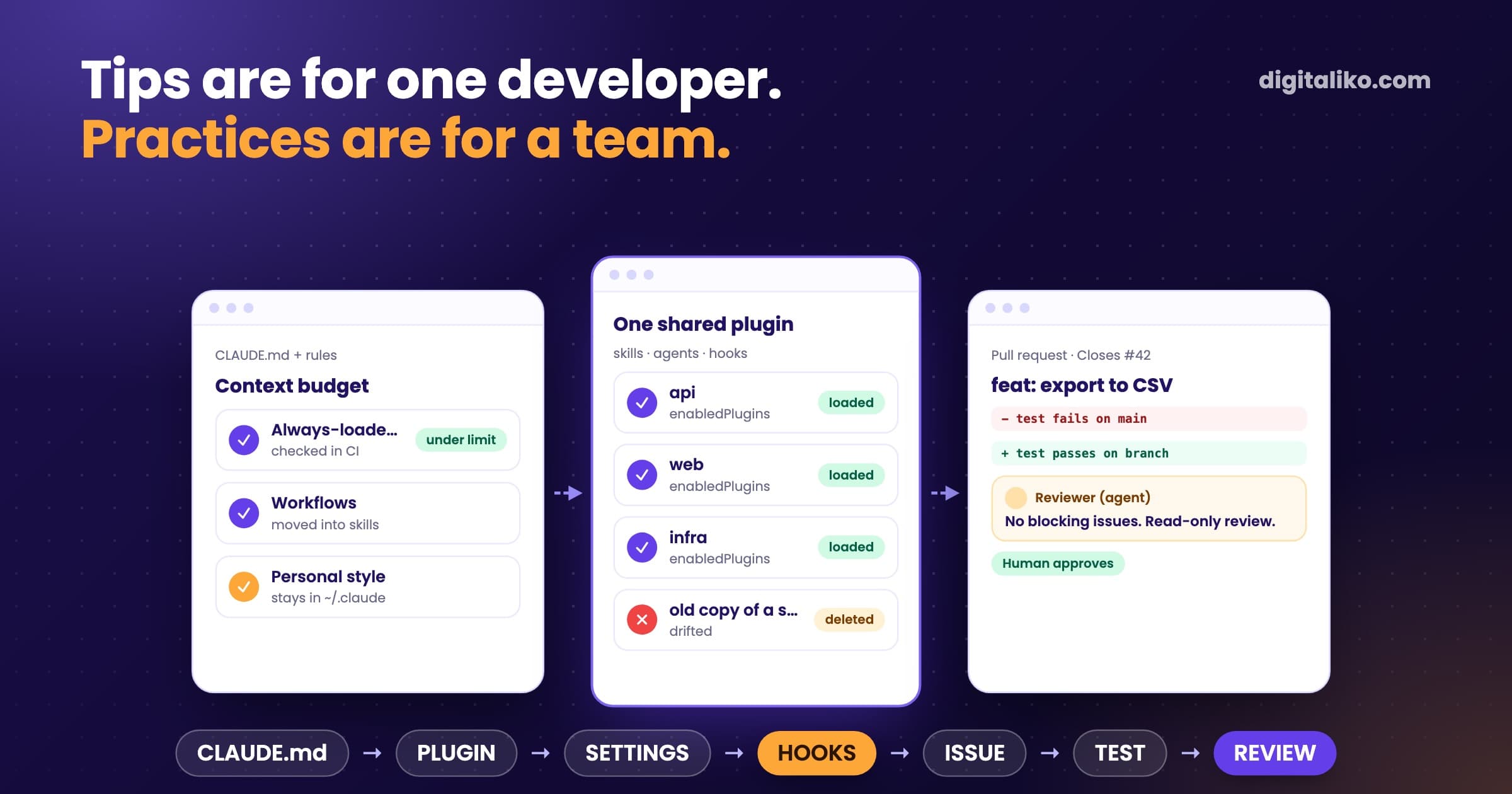
So getting started was never the problem. The problem is that everyone set it up alone. Their own rules, their own context, their own way of checking. When one person learns something, everyone else pays for the same lesson again.
Nobody thought about how to build the software factory. The one that then builds the product itself.

The rules for AI then live in three bad places. Only one place works:
| Where the rules live | What happens |
|---|---|
| In a colleague's head | He knows what the agent must not do and how tests are written. When he leaves, nobody knows. |
| On his laptop | In a local setup nobody else has ever seen. |
| In the wiki | People don't read it, and the agent certainly doesn't. |
| In the repository | The agent loads them on its own for every task. This is where they belong. |
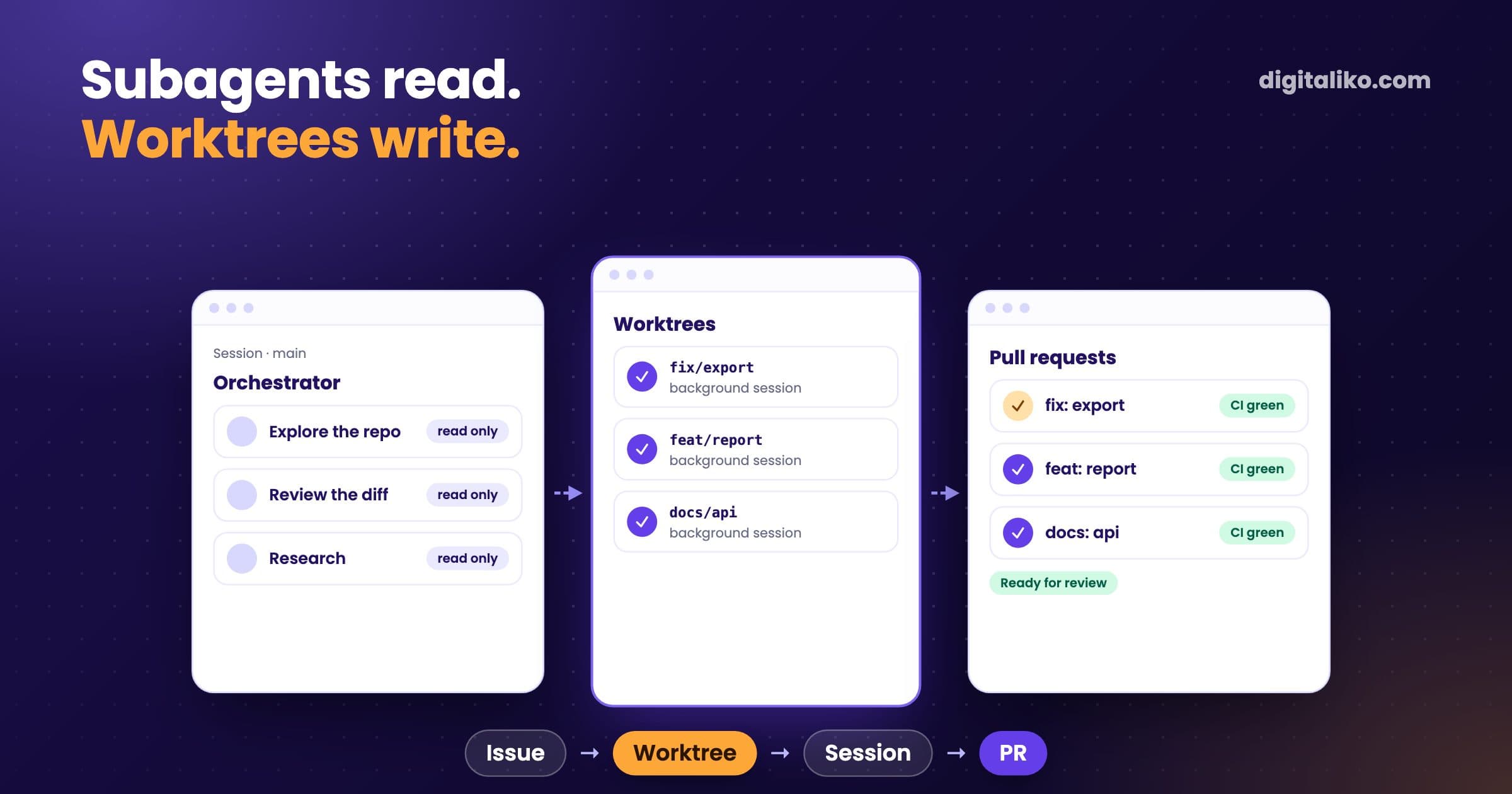
The agent only obeys what is in front of it, in its context. That is why we say that an agent is a model plus a harness. You rent the model. The harness is your work.
Where should the rules for AI live, and who owns them?
In the repository, next to the code, in a file the agent loads on its own. For Claude Code that is CLAUDE.md, for many other tools AGENTS.md. What belongs in it and what does not is covered in Rules for AI code in a team. Which tool to give the team is compared in Cursor vs Claude Code.
What matters more is who owns the rules. Nobody has the harness around AI in their job description. Without an owner it slowly falls apart. Everyone tweaks it a little and the shared layer drifts.
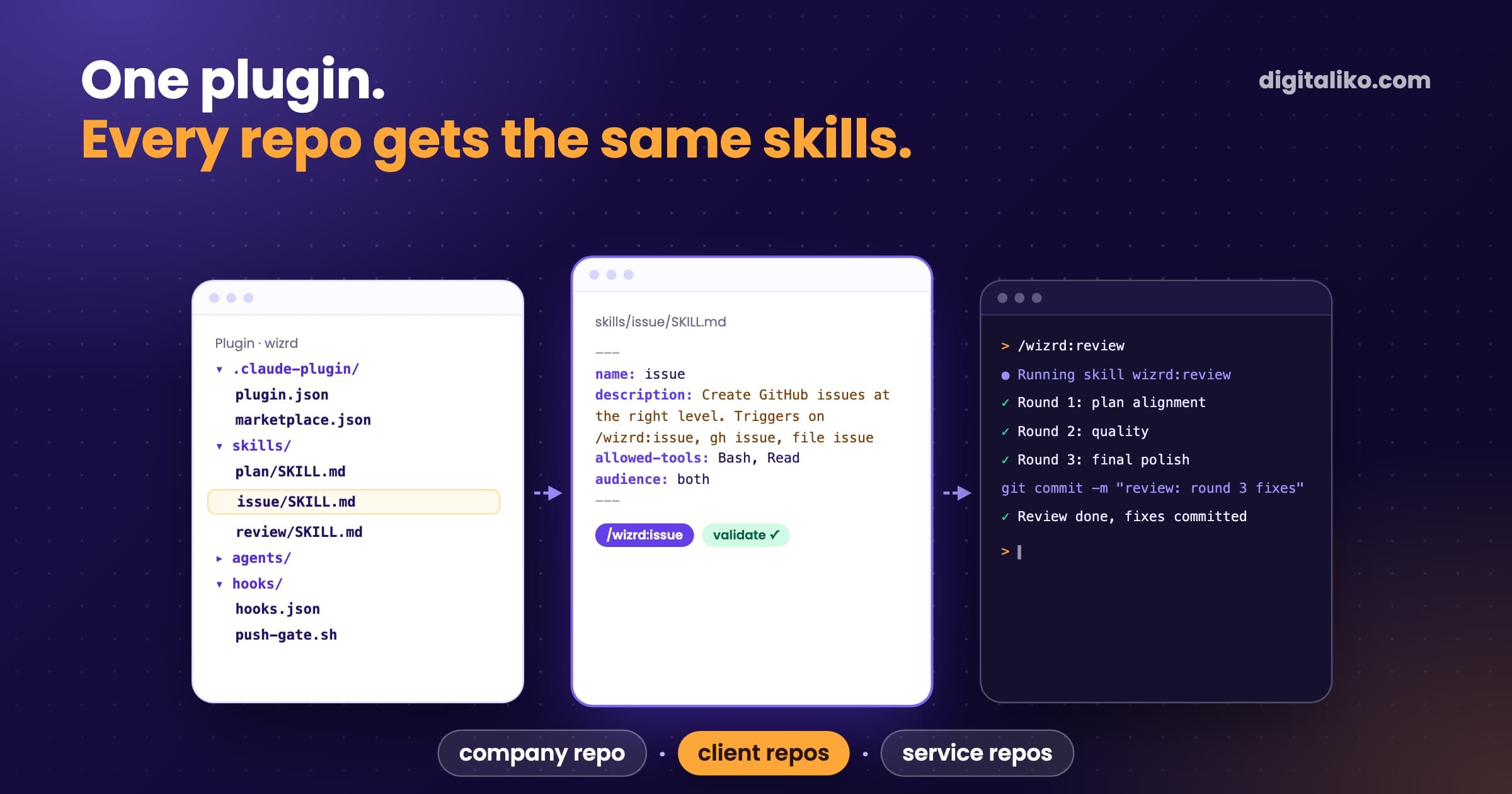
What helped us was distribution, not discipline. We kept our rules in the main repository and the other repositories couldn't see them. Some "fixed" that by copying them. Over time the copies drifted and no two were the same. Today we have one package of rules that loads everywhere.
How do you check code that AI wrote?
As strictly as code written by a person. Plus three extra rules:
01
Whoever wrote the code does not review it
Not even when it is AI. Run the review in a fresh context, ideally with a different model.
02
Plan first, then code
A one-page plan can be checked in a few minutes. A large finished pull request hardly at all.
03
A test must fail first
A test the agent wrote for its own code only proves that the agent agrees with itself. Run it on the original code. Only if it fails there does it verify anything.
Also check whether your CI can fail at all. When we take over systems, we have seen a pipeline that runs and reports but never stops a merge. It happened to us too: a check on the main branch stayed red for a long time and nobody noticed. Without tests it has nothing to fail on. A green tick without tests is decoration.
One rule for live operation has no exceptions. Our agent physically cannot reach live operation. A script rejects any command that would touch the production database or server before it runs. Safety comes from a mechanism, not from the sentence "be careful".
How do you start so the team doesn't push back on AI?
A presentation won't convince a team. A safe space and its own backlog will.
At a workshop for a development team we had two days in which the agent was the only tool. People worked on real backlog items, not demo tasks. Demos in the afternoon, and at the end a shared hour where everyone said what they had found. To be honest: we did not measure what stuck months later.
The second thing is fear of the bill. One CTO didn't want us to ban AI. He wanted a cap. The fix is boring: a team account with credit. When it's gone, it's gone. And a developer who sees the spending makes better decisions.
Most companies solve it with a team account. There you can keep it under control and put a cap on it.
Third: don't start with the whole team. A one-week pilot with one developer shows where the rules are missing. Only then roll them out to everyone else. This is the whole first month:
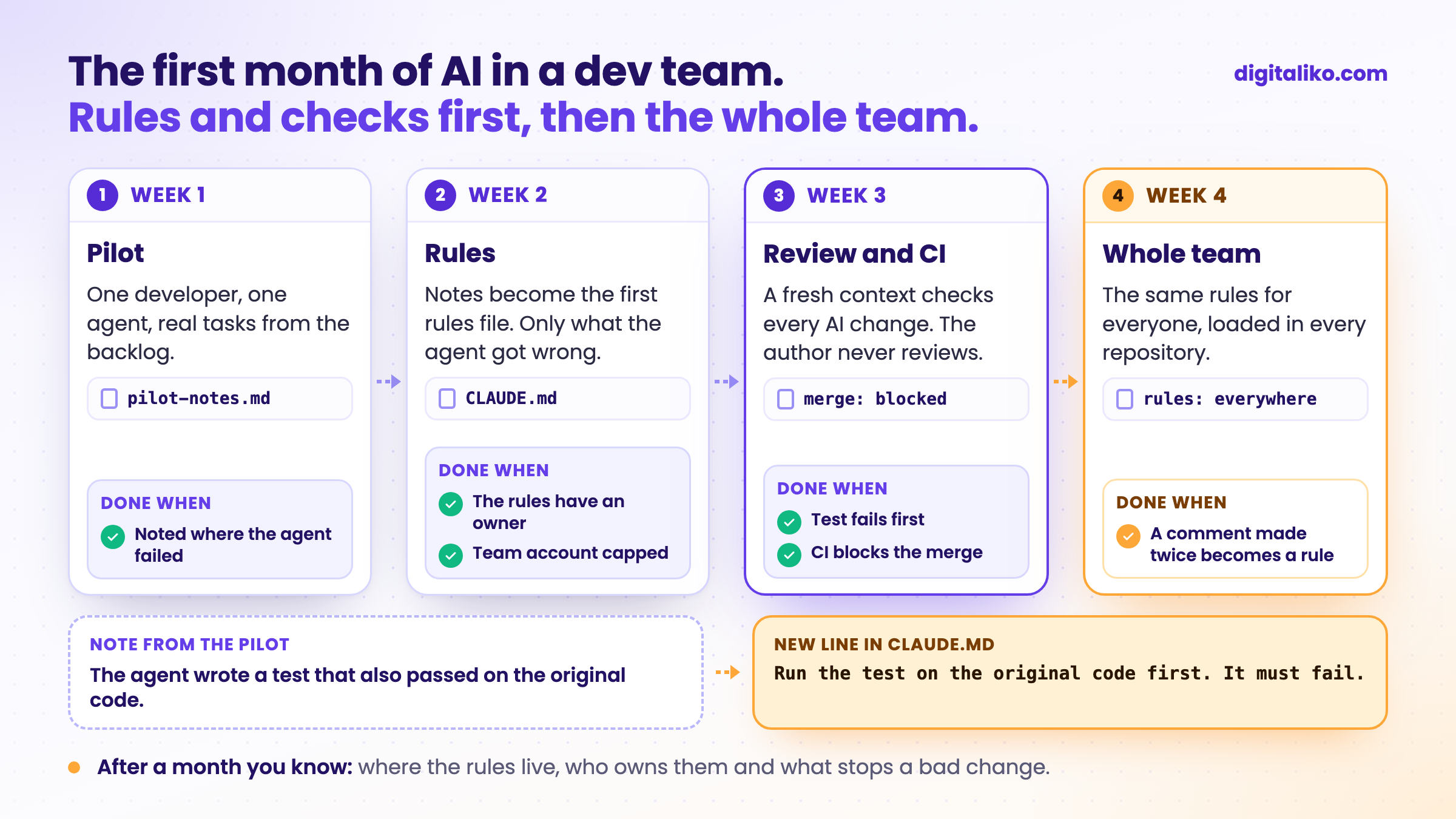
This is exactly how we join teams as part of AI-native SDLC for development teams. Is your team short of hands rather than rules? See a senior developer for your team.
The first 30 days of AI in a team: checklist
Tick what your team already has:
If after a month you can say where the rules live, who owns them and what stops a bad change, you have introduced AI. The rest is maintenance.
It is not a one-off process. It is continuous improvement, iteration after iteration.
You don't have to write the first version of the rules from scratch. Download the template: Rules for AI in your team (PDF).
When we don't recommend it
- Your team already works with AI and keeps its rules in the repository. Keep going. You do not need an outside senior.
- You want an AI strategy deck for the board. We do not do that. We work in the repository, not in slide decks.
- You want cheap hourly capacity that just finishes tickets. We do not do that. Look for a freelancer or an agency that rents out developers.
Want to introduce it with someone who does this every day?
You don't need another demo showing that AI can write an app. You need a senior who plugs into your repository and pull requests on day one. Meanwhile your team learns to work with AI its own way.
Tell us where development is slowing you down. We get back to you within two business days, and together we pick what to fix first.
If you'd rather talk first, book a 15-minute meeting with Filip.
Where does AI slow your team down more than it helps today?
In short
- The team usually has the tool already. What is missing is shared rules in the repository and one owner.
- Whoever wrote the code does not review it. Not even when it is AI.
- A test must fail on the original code first, and CI must be able to block the merge.
- Start with a one-week pilot with one developer. The whole team joins only in week four.
Frequently asked questions
How do you introduce AI into a development team?
Start with shared rules in the repository, review by someone other than the author, and tests that stop bad code. Name one person who owns the rules. The tool comes second, and the team usually has it already.
Claude Code, Cursor or Copilot: which tool should a team pick?
The tool matters less than it seems. Models change every month. Pick one that reads rules from the repository and can also run in CI. What matters more is that the whole team works with the same rules.
Who is responsible for code that AI wrote?
The person who approved the change for merging. AI writes the code, but it is not accountable for it. That is why every change goes through review by someone who did not write it, and through tests that really fail on a bug.
Will AI speed up our development?
If you have tests, review and clear rules, usually yes. If you do not, AI will produce bugs faster. AI amplifies what already works in a team, and what does not.
How long does it take to introduce AI into a team?
A pilot with one developer takes a week. Shared rules, review and a spending cap can be set up within a month. After that, the rules grow with every mistake you catch.
Ask AI about this article
The AI also draws on our other articles and experience from real projects.
ChatGPTClaudePerplexity