When is Excel no longer enough for a business?
From Excel to a system · Updated

Filip Papranecfounder of Digitaliko
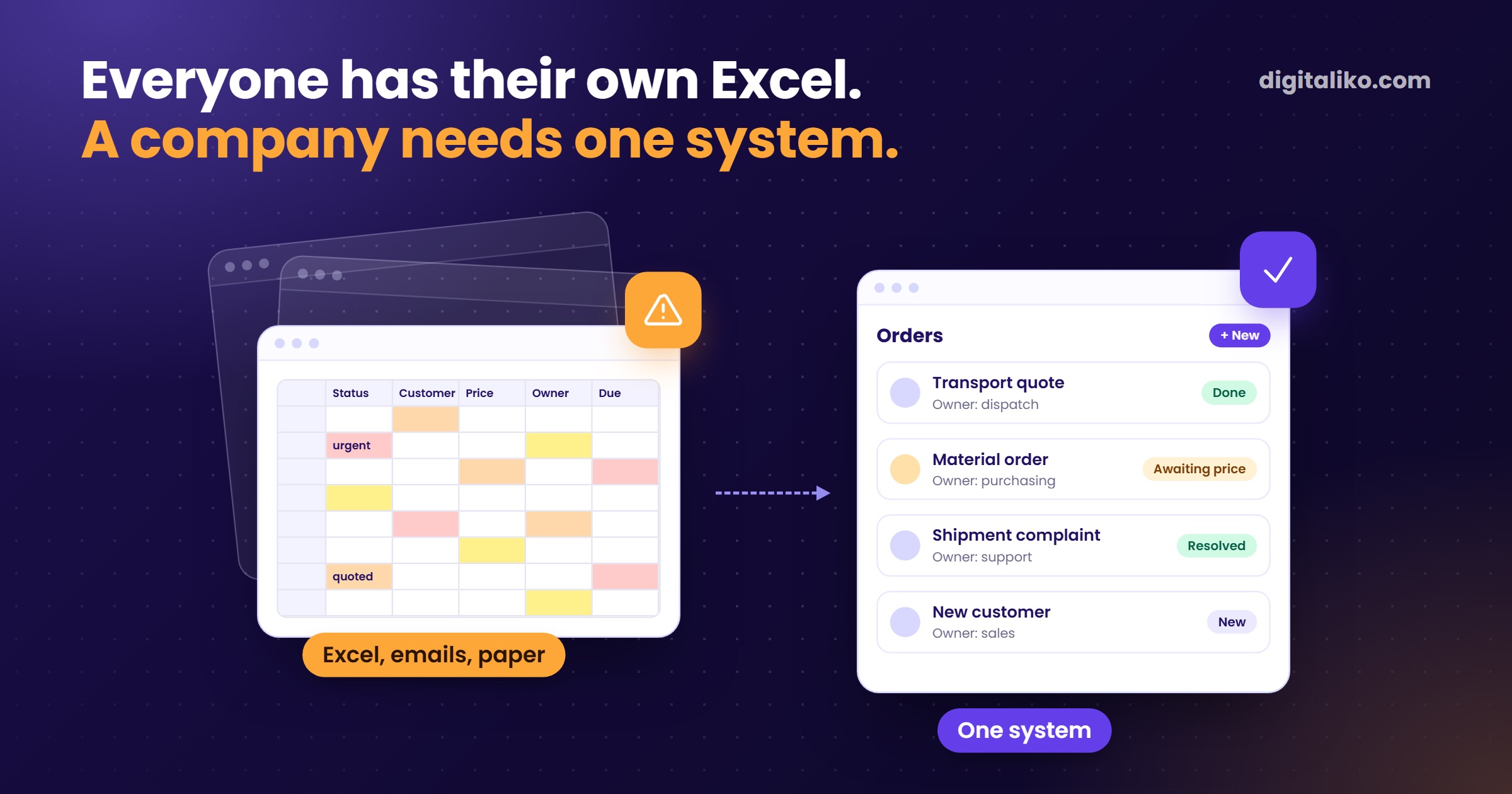
Excel stops being enough the moment several people write into it at once. Or when the process lives in colours and in one person's head. Until then, Excel is a great tool and there is no reason to replace it.
Below are five signs that tell you where you are. Then what to try before ordering a system, and how one freight forwarder moved off Excel.
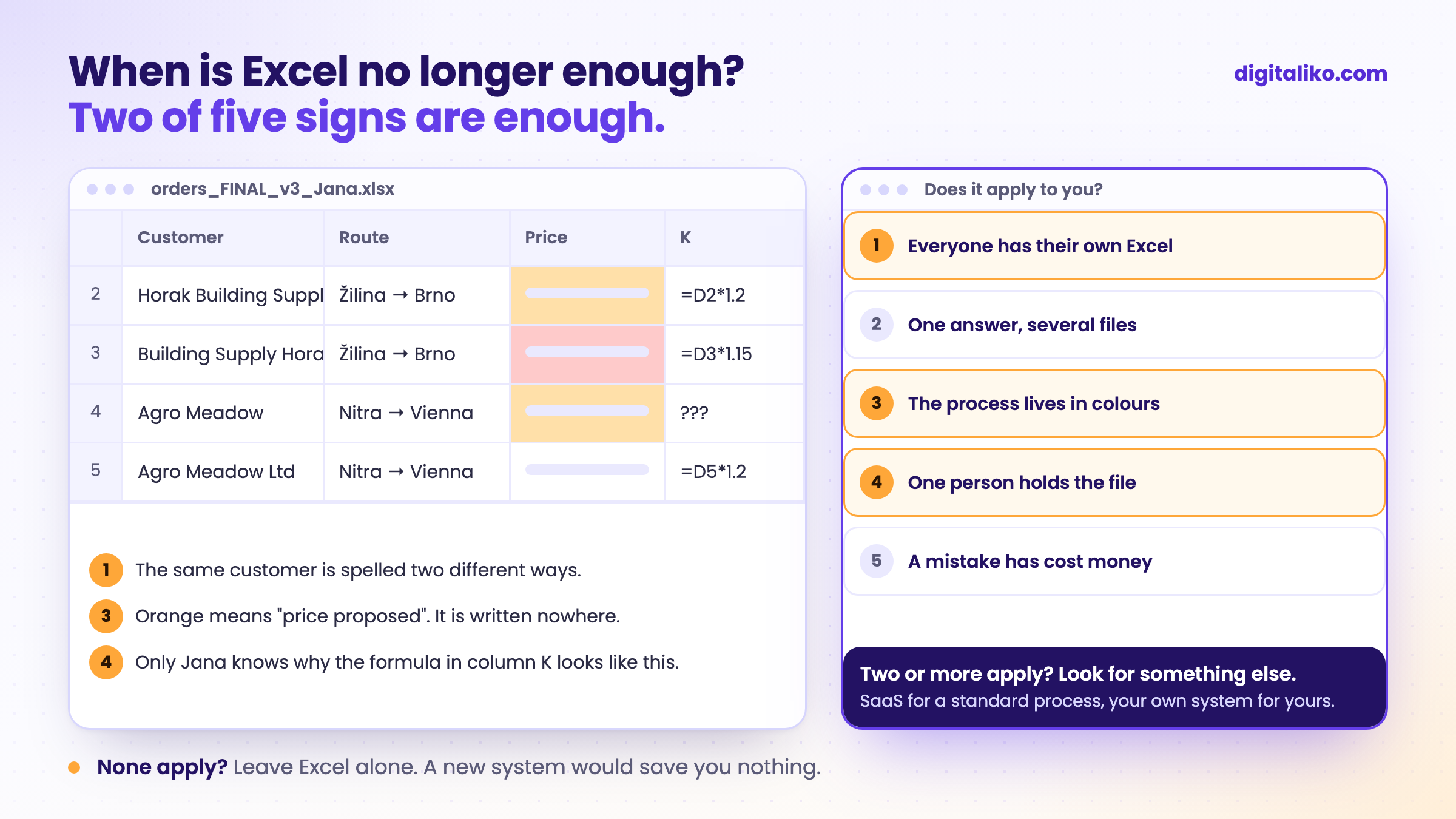
How do you know Excel is no longer enough?
Two of these five signs are enough. Tick what applies to you. "I have a different Excel" is the surest sign of all.
Excel doesn't stop the error. It just saves it quietly.
If none of these apply, leave Excel alone. A new system would not save you anything.
Download the checklist: When Excel is no longer enough (PDF)
Before you automate anything, write one process down. Download the one-page process map (Excel)
Can several people work in Excel at the same time?
Yes, if the file sits on OneDrive or SharePoint and you open it in Microsoft 365. You then see colleagues' changes almost immediately. For a shared list used by a few people, that is enough.
It does not solve three things:
- Permissions. Anyone can overwrite anything, including someone else's row.
- Input checks. A date is text one time and a number the next. The same customer is spelled three ways.
- Accountability. Version history helps you find out what happened. It doesn't prevent the error.
Once people start "locking" the file by phone ("don't touch it, I'm doing quotes"), sharing no longer helps. That is when you need a system that knows who is doing what.
What to use instead of Excel?
Not always your own system. You have three options, and each fits a different situation.
| Situation | What to choose |
|---|---|
| A few people, one list, errors are cheap | Stay in Excel and clean up the structure |
| A standard process that works the same everywhere (invoicing, attendance) | Off-the-shelf SaaS, if you can get your data out |
| A process that sets you apart, or SaaS lacks the one thing you need | Your own system, one process at a time |
Excel as a CRM works while one customer is handled by one person. When two people handle them and each keeps notes elsewhere, you don't have a CRM.
Inventory in Excel works while one person moves the stock. When receiving, shipping and sales are done by different people, the sheet stops matching the warehouse.
With off-the-shelf SaaS, ask before signing how you will get your data out. If the answer is "as PDF", first read what to do when a vendor won't release your data.
A simple structure that always helps
Even if you stay in Excel, these rules save time. And if you ever move to a system, the move will be much easier.
- One row is one thing: one order, one customer, one item.
- One sheet is one kind of thing. Customers separate, orders separate.
- Every row has its own number (ID). An order points to the customer by ID, not by name.
- Status is a column, not a colour: "proposed", "confirmed", "done".
- Who handles it is also a column. Not a note in a cell.
- No merged cells and no empty rows as separators.
What does moving off Excel look like in practice?
At the freight forwarder KIABA, carrier contacts lived in spreadsheets, emails, on paper and in dispatchers' heads. When they needed a truck, nobody searched a system. They made phone calls.
We built one system for everyone. And honestly: for a long time it was half empty. Dispatchers had full diaries and no time to enter carriers. The agreement to call carriers and fill in their details never took hold. No software helps when there is no data in it.
The owner had a clear condition from the start: they would switch when the system worked like Excel, only better. So we first carried over the Excel habits. Every extra click compared with the sheet slowed people down, because their hands remember Excel. Colours, though, come from the record's status, not from manual recolouring. Otherwise the data would lie.
Today a new person has every carrier contact from day one.
That gave us two rules for every move off Excel.
How to start when you have no specification?
You don't need one. Before the first conversation, we ask for three things.
01
Documents you send today
Quotes, orders or invoices, PDF is fine.
02
The Excel the process lives in
As it is. No need to tidy it up for us.
03
Tools you like
Just the names. They tell us more than a long document.
From that, we tell you whether a system makes sense or a tidier Excel will do. If it's a system, we take one process, not the whole company at once. And we agree up front who will own it. More in Who owns the source code of custom software.
What manual work in Excel costs you, the automation ROI calculator works out in a minute. What business process automation looks like with us is on its own page.
When we don't recommend it
- None of the five signs apply to you. Leave Excel alone. Tidy up the structure using the list above.
- The process is standard, for example invoicing or attendance. Buy an off-the-shelf SaaS, as long as you can get your data out.
- You are looking for an Excel template, for example for attendance or a mileage log. You will find one for free. You do not need us for that.
- You want the whole company on a new system at once. We advise against it. Start with the one process that hurts most.
Is your Excel at its limit?
Send us what you have. We get back to you within two business days, and together we pick what to fix first.
If you'd rather talk first, book a 15-minute meeting with Filip.
Which of the five signs applies to you first?
In short
- Excel is no longer enough when two of five signs apply: everyone has their own Excel, one answer from several files, a process in colours, a file in one person's hands, an error that cost money.
- None apply? Leave Excel alone and clean up its structure.
- A standard process belongs in off-the-shelf SaaS you can get your data out of. A process that sets you apart belongs in your own system.
- The first version of the system should behave like Excel, only better. The data has to be in it before you expect results.
Frequently asked questions
When is Excel no longer enough for a business?
When several people write into it at once, when the process lives in colours and in one person's head, when one answer needs several files, or when a spreadsheet error has already cost money. If two of these apply, it is worth looking for something else.
Can several people edit an Excel file at the same time?
Yes, if the file sits on OneDrive or SharePoint and you open it in Microsoft 365. You still get no per-row permissions and no input checks, so anyone can overwrite anything.
Can Excel work as a CRM?
Yes, as long as one customer is handled by one person. Once two people handle the same customer and keep notes in different places, it stops working.
What is the alternative to Excel?
For a standard process, an off-the-shelf SaaS, as long as you can get your data out. For a process that sets you apart, your own system, one process at a time. If errors are cheap, cleaning up the spreadsheet structure is enough.
Do I need a specification before ordering a system?
No. The documents you send today, the Excel the process lives in and the names of tools you like are enough.
Ask AI about this article
The AI also draws on our other articles and experience from real projects.
ChatGPTClaudePerplexity