AI agent for customer emails: where to start
AI agents · Updated

Filip Papranecfounder of Digitaliko
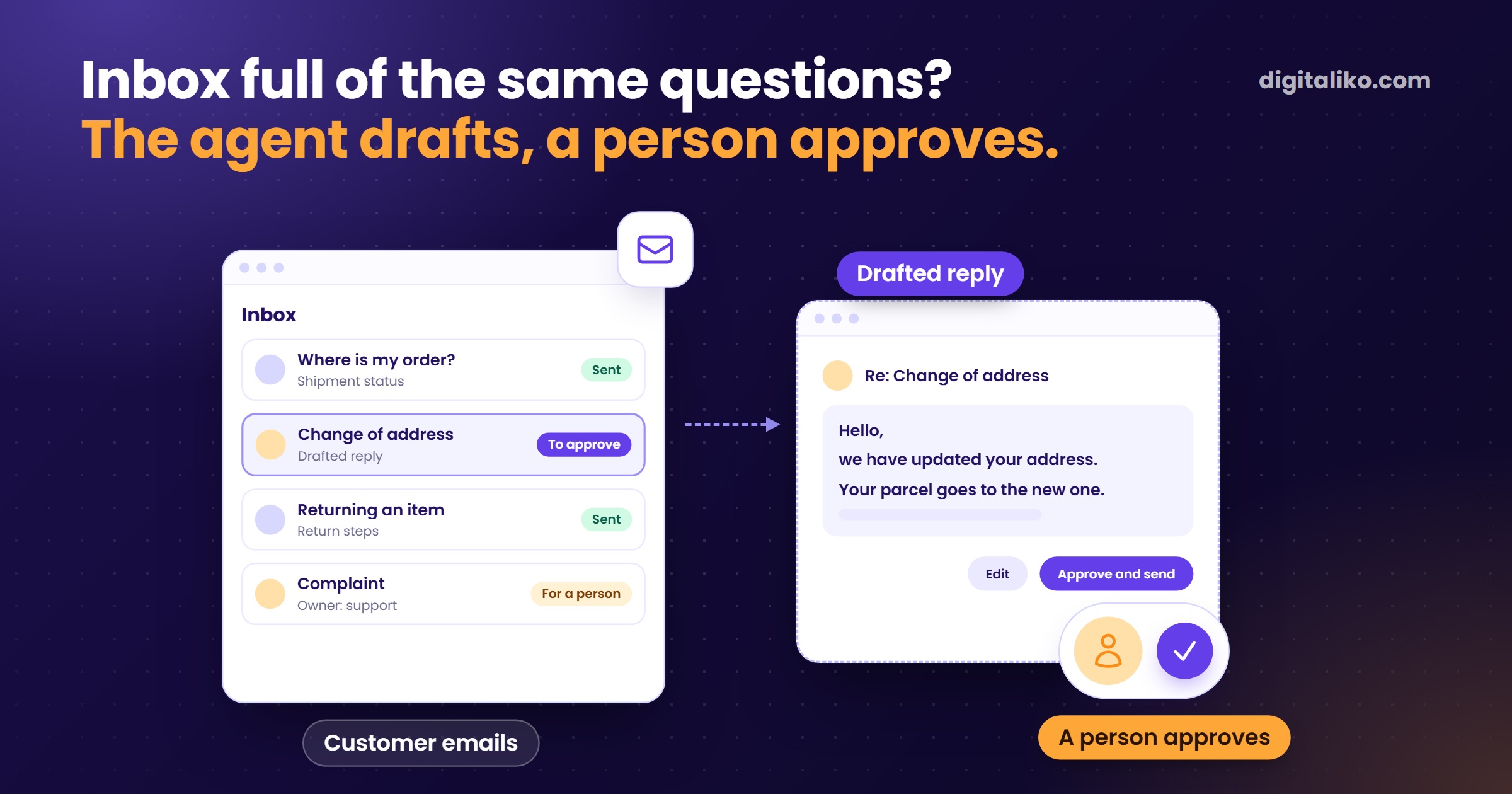
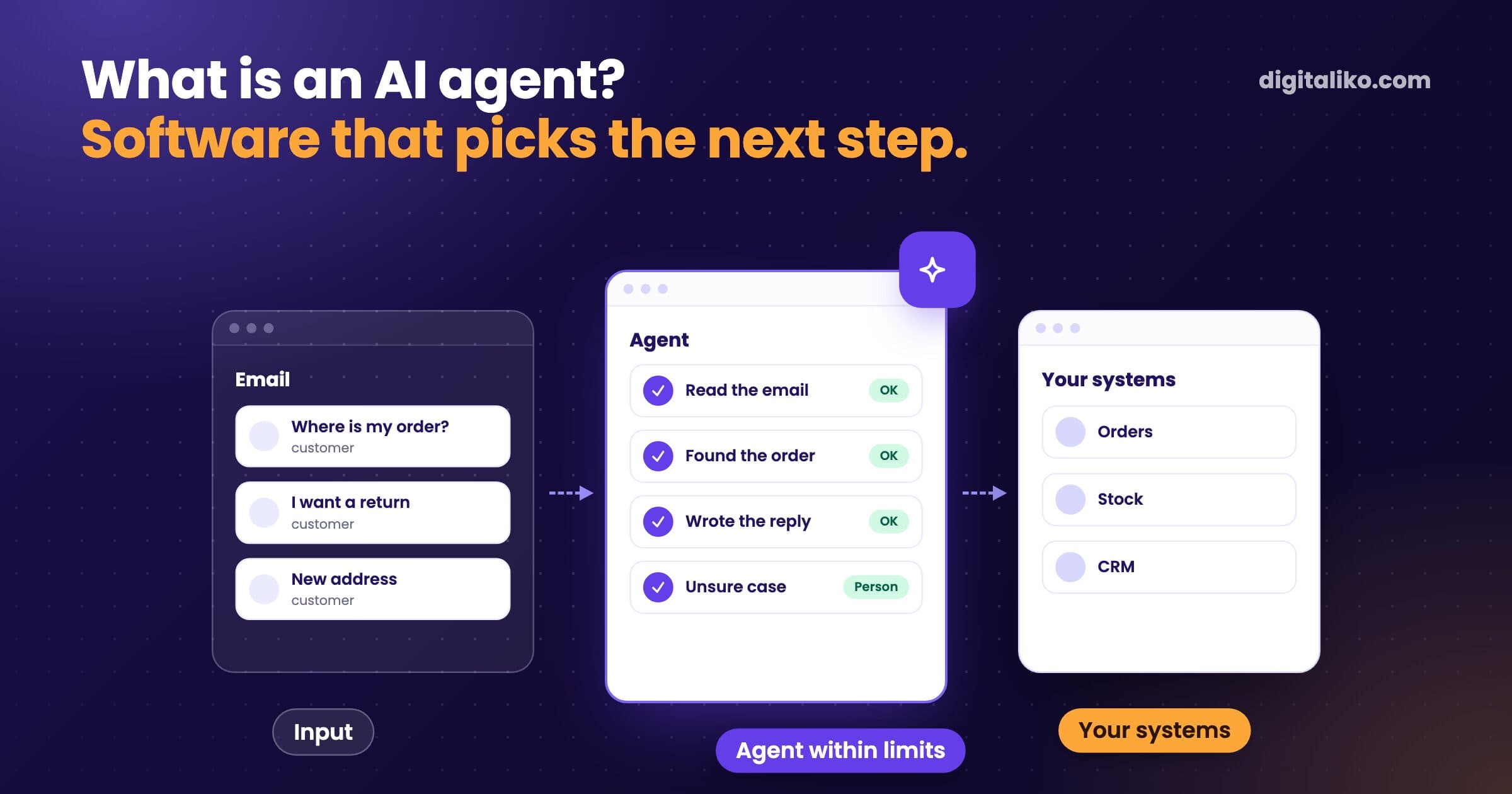
An AI agent for customer emails works when you introduce it in three steps. First understand what comes into the inbox. Then the agent writes drafts and a person approves them. Only at the end does it reply on its own, and only to types it knows.
For a client with online sales, we built a customer support agent.
- Reply time to the customer. Customer support now handles only the complex cases.
- under 5 min
What can an AI agent handle in an email inbox, and what not?
It handles questions that repeat and where the answer can be checked in the data. Where is my order? Why did I not get a confirmation? How do I change my details? These questions have a correct answer, and the agent can look it up.
It cannot, or should not, handle things where judgment and money decide.
The agent handles
- Where is my order?
- Why did I not get a confirmation?
- How do I change my details?
- Anything where the right answer can be checked in the data.
A person decides here
Leave it to a person
- Complaints that involve a refund.
- Legal questions and threats.
- Angry customers who want to talk to a person.
- Anything the agent cannot find in the data.
There is one difference from a chatbot on a website. The agent does not wait for someone to ask in a chat box. It works with emails that have already arrived and with the system that holds the orders. Without access to the orders it only answers in general terms. And a general answer does not help the customer.
How do you introduce an AI agent for customer emails?
Whoever lets an agent into the inbox on day one either switches it off or spends more time fixing it than it saved. So we go in this order:
01
Understand the mail
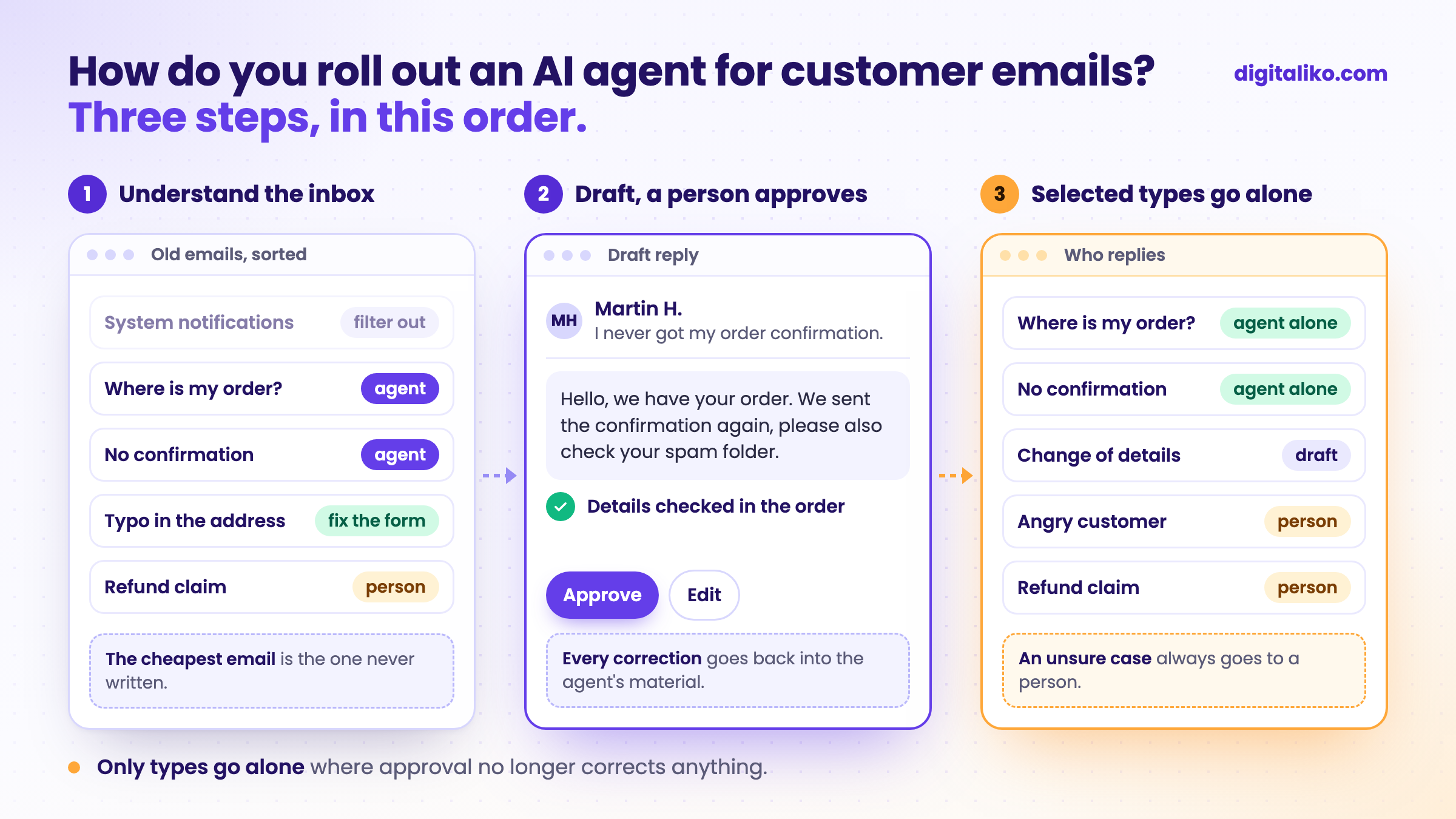
We read old emails and sort them. What comes in, from whom, how often, and what people did with it.
02
The agent drafts, a person approves
Every reply goes through a person. Corrections flow back into the agent's source material.
03
Selected types go on their own
Only the ones where approving stopped producing corrections. The rest stay in step 2.
Step 1 looks like a delay. In fact it saves the most. It shows which emails do not need to exist at all.
What we learned with a client selling online
Replies used to come hours later, some never. Anyone who sells online knows what that means: bad reviews.
The first version of the agent replied like a marketing flyer. Polite, polished, and completely beside what people were asking. We did not tune the model. We rewrote the source material in the company's own words, from its real replies to customers. So do not give an agent just the instruction "reply". Give it the types of email that really come in, and how to answer each one.
Most of the mail was not from customers at all. When we sorted the old emails, most of them were system messages and notifications. There were only a few real types of question. The agent does not need to read system messages; filtering them out is enough.
Real questions came from a few spots in the order. The confirmation email did not arrive. A typo in the order details. A typo in the email address. We fixed those spots directly in the form, and the questions stopped coming. The cheapest email is the one that never gets written.
The agent should correct, not nod along. An agent wants to please. When a customer misreads something, the agent easily agrees. So it has a rule: correct the customer's mistake, do not confirm it. And when it does not know, it hands the email to a person.
The result: customers get a reply within 5 minutes. Customer support now handles only the complex cases.
How do you know the agent works?
Do not track what percentage of emails the agent handles. That number is easy to inflate. Track three other things:
- how quickly the customer gets a first reply,
- how many drafts a person had to correct,
- how many emails the agent passed to a person because it did not know.
If corrections are falling, you can let another type of email go on its own. If they are not, the problem is in the source material, not in the model. An agent is only as good as what it can read.
Checklist before buying an AI agent for email
Tick what is true for you. Ask the vendor about the rest:
Download the plan: An AI agent in your company, the first 30 days (PDF)
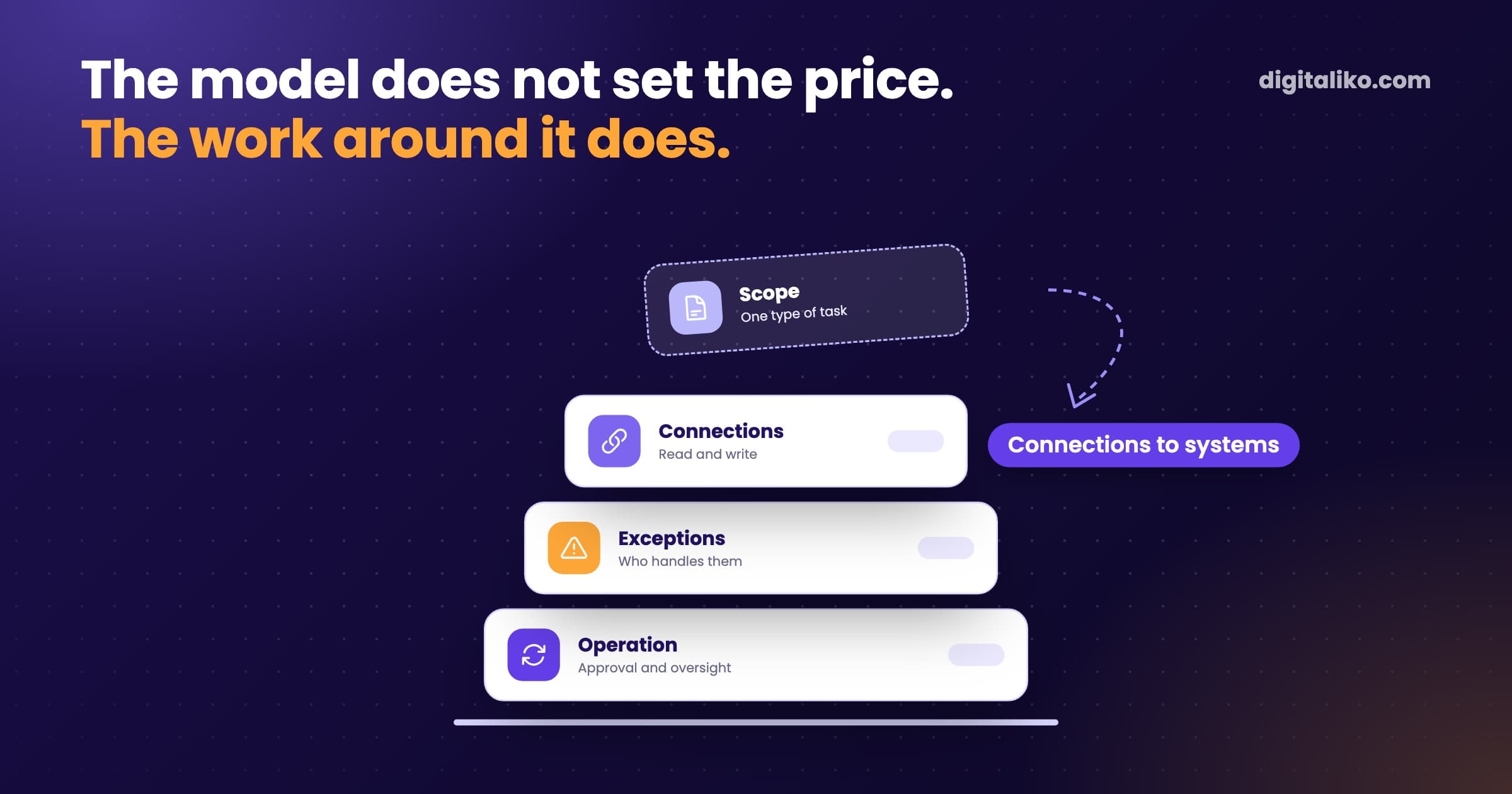
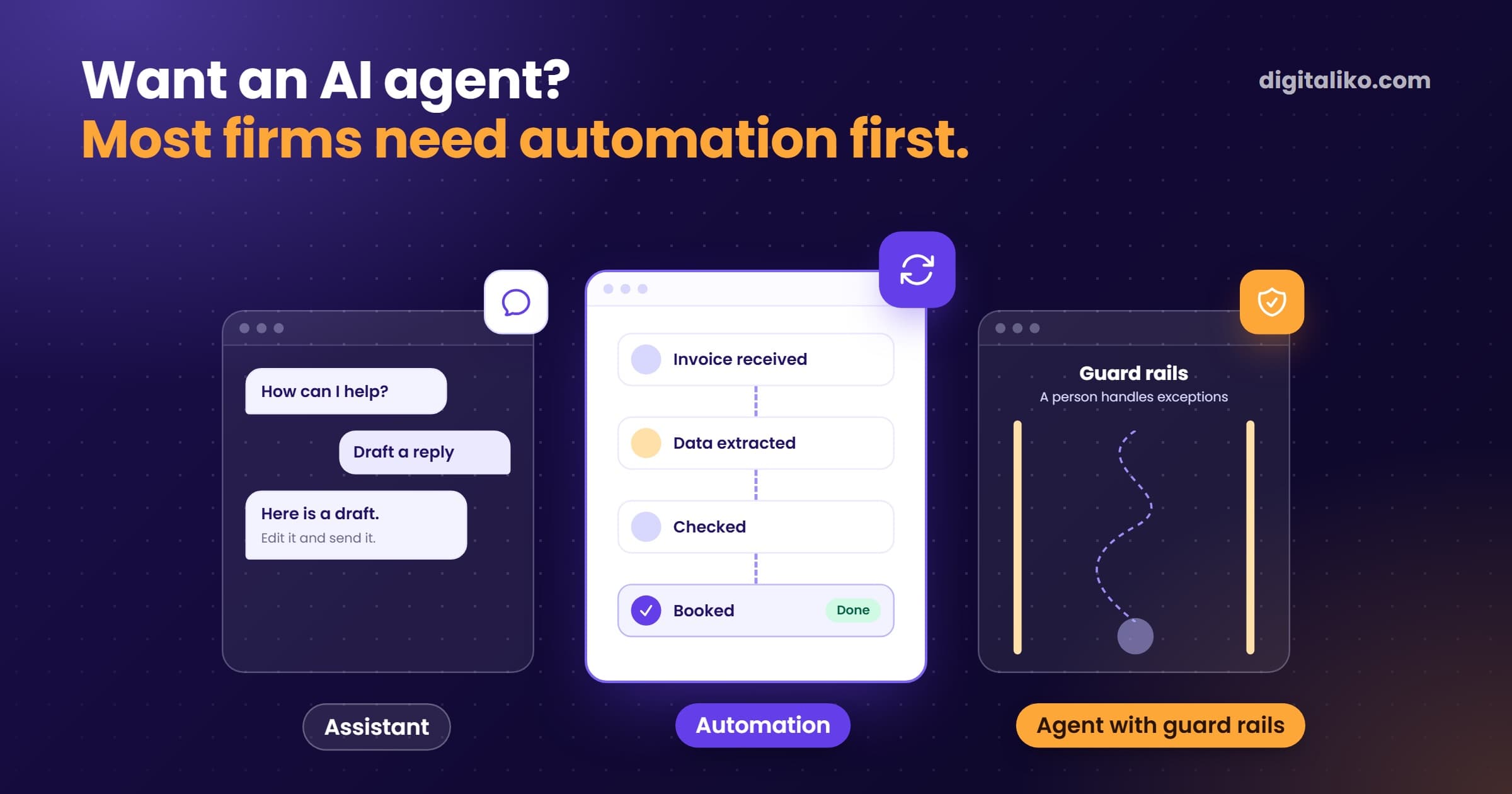
What such an agent costs and what sets the price is covered in How much does an AI agent cost for a business? Whether you need an agent at all, or automation is enough, is in AI agent or automation: what do you need? The same approach also works for orders that arrive by email. How we build such an agent is on the page AI agent for business.
When we don't recommend it
- You get only a few emails a day. An agent does not pay off. Saved reply templates in your inbox are enough.
- Most questions come from one spot in the order flow. Fix the form or the confirmation email first. Often you then need no agent.
- Your e-shop or helpdesk already offers AI replies and holds the data. Try that first. Look at your own agent only when it falls short.
- You want the agent to handle complaints and refunds alone. We advise against it. Leave those emails to a person.
- Nobody can approve drafts in the first weeks. Wait until someone can. Without that person, the agent does not work.
Is your inbox drowning in the same questions?
Send us the emails you get most often. We get back to you within two business days, and together we pick what to fix first.
If you'd rather talk first, book a 15-minute meeting with Filip.
Which question lands in your inbox every single day?
In short
- We introduce the agent in three steps: understand the mail, drafts with approval, only then selected types on their own.
- The agent answers questions that can be checked in the data. Refund claims and angry customers go to a person.
- The cheapest email is the one never written. Some questions disappear once the form is fixed.
- Track the speed of the first reply and the number of corrections, not the share of emails handled.
Frequently asked questions
Can an AI agent answer customer emails on its own?
Yes, for question types it knows and where you have approved its drafts for a while. For everything else it should write a draft or hand the work to a person.
How do you introduce an AI agent into an email inbox?
In three steps. First find out what comes into the inbox and what people do with it. Then the agent writes drafts and a person approves them. Only at the end does it send replies to selected types on its own.
Which emails should an AI agent not handle?
Complaints involving refunds, legal matters, angry customers and anything where a mistake costs more than a slower reply. The agent should pass those to a person.
What if the AI agent gives a customer a wrong answer?
That is why a person approves every reply in the first weeks. The agent needs a rule to correct a customer mistake, not to agree with it. And when it is unsure, it should not reply at all.
Do I need a new email system for an AI agent?
No. The agent connects to the inbox you already have and to the system where the orders are. Without access to orders it can only answer in general terms.
Ask AI about this article
The AI also draws on our other articles and experience from real projects.
ChatGPTClaudePerplexity