Excel as a CRM: where it breaks
From Excel to a system · Updated

Filip Papranecfounder of Digitaliko
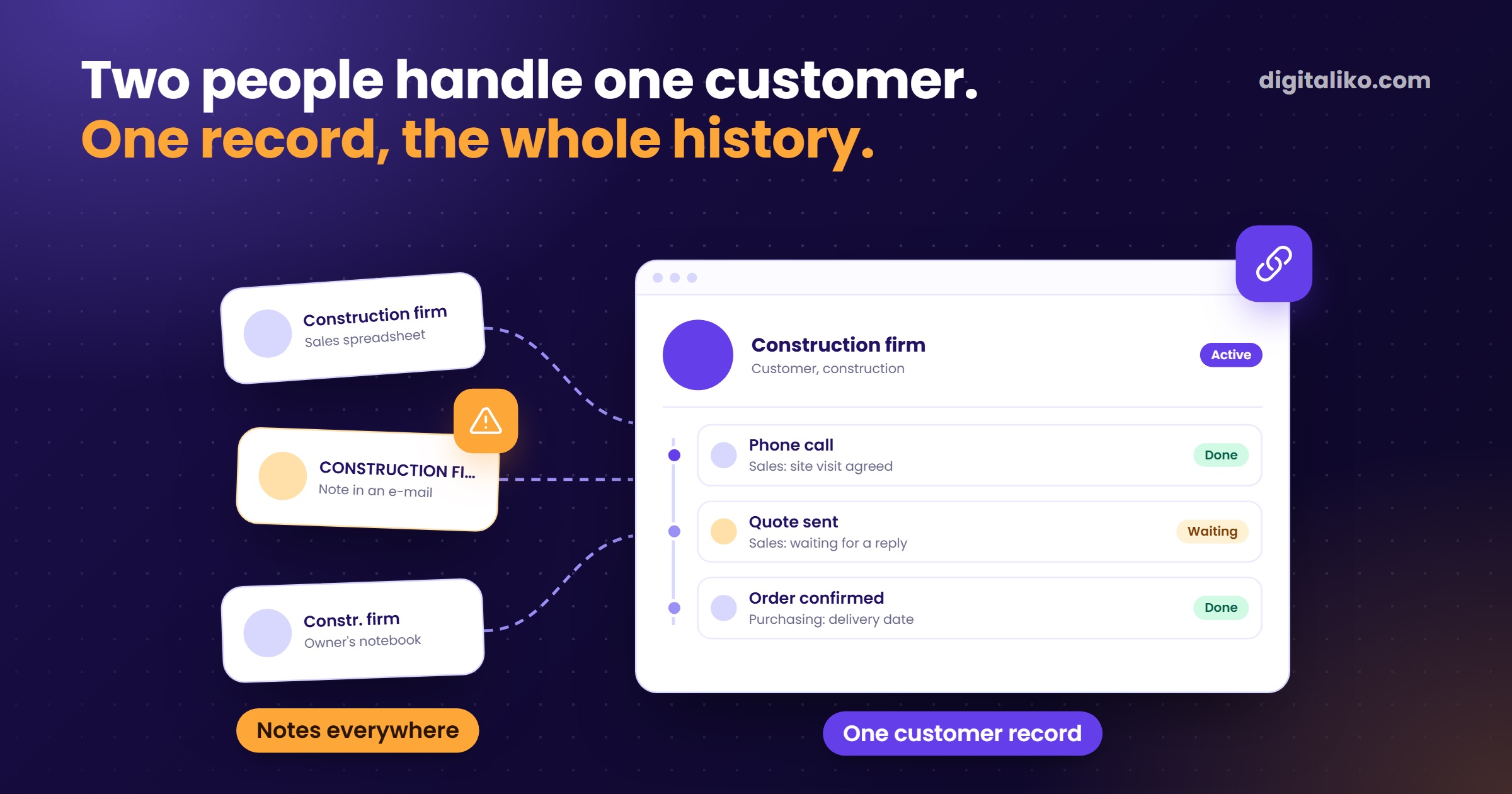
Excel as a CRM works while one person handles each customer. It breaks when two people handle the same customer and each keeps notes somewhere else. Or when a call gets forgotten, because a sheet reminds nobody of anything.
Below is a simple structure that makes Excel last longer as a CRM. Then five places where it breaks, and what to choose at that point.
How do you build a simple CRM in Excel?
The most common mistake is one big sheet. Company, contact, last call and a note, all in one cell. After six months the cell holds a novel and nobody finds anything in it.
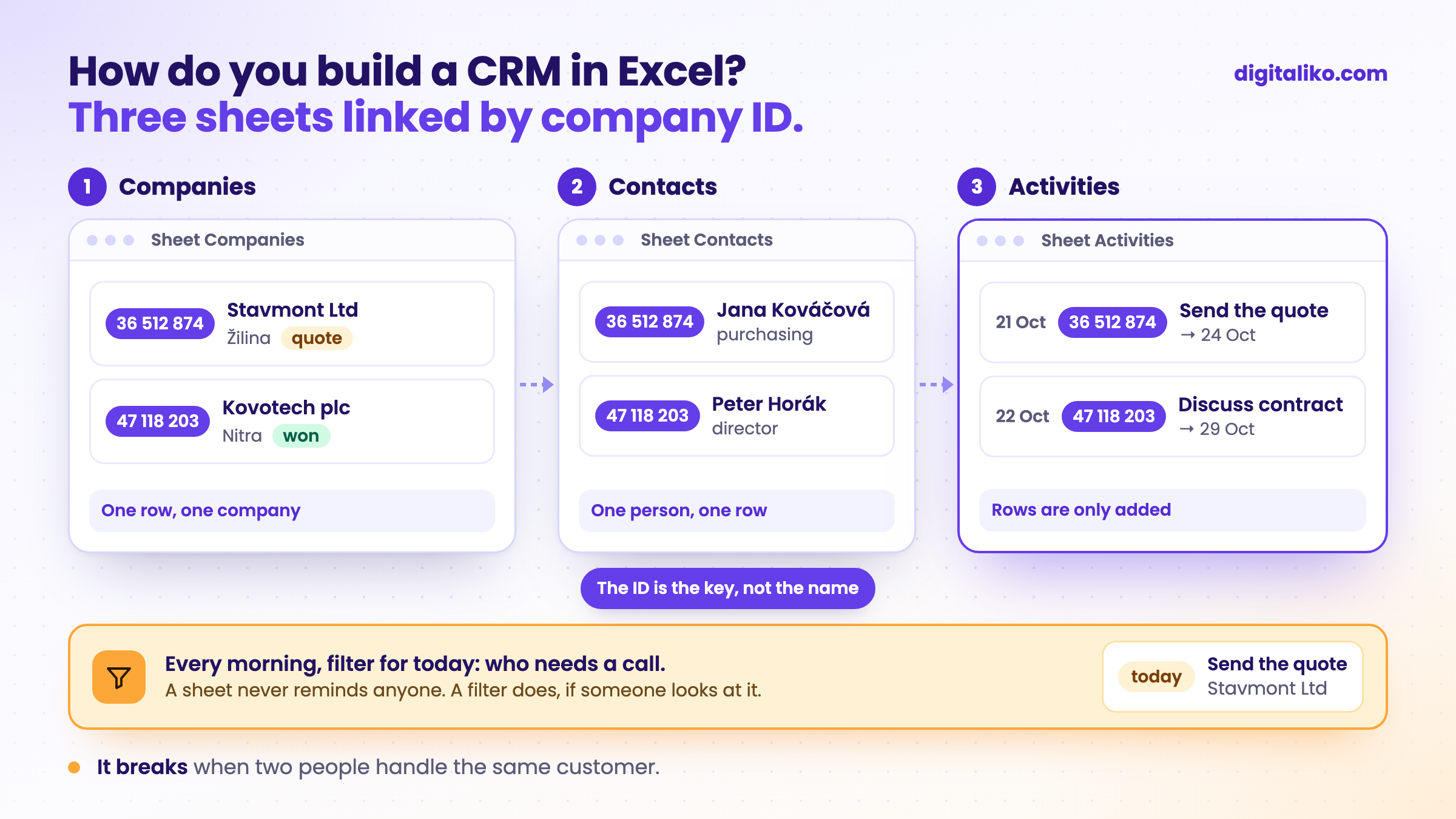
Three sheets work better. Each holds one kind of thing.
| Sheet | Columns | Rule |
|---|---|---|
| Companies | Company ID, Name, City, Owner, Status | One row is one company. The ID is the key, not the name. |
| Contacts | Company ID, Name, Position, Phone, Email | A contact refers to the company by ID. One person, one row. |
| Activities | Date, Company ID, Who, What happened, Next step, Next step due | Rows are only added. History is never overwritten. |
Download the checklist: When Excel is no longer enough (PDF)
Three small tricks that help right away:
- A registration number instead of the name. "Novák s. r. o." and "NOVAK sro" are two companies to Excel. The registration number (IČO in Slovakia and Czechia) is only one.
- Status as a list. Use Data Validation to set fixed values: new, quote, deal, lost. No colours.
- A filter for today. In Activities, add a column
=[@[Next step due]]<=TODAY(). Filter for TRUE in the morning and you have your call list.
Where does Excel as a CRM break?
It breaks in five places. Tick what is true for you. Every unticked item is one place where Excel breaks.
The history in someone else's inbox hurts most. When the salesperson leaves, the history leaves too. Why a file breaks when several people write into it at once is in Shared Excel for multiple users: why it breaks.
What instead of Excel: off-the-shelf CRM or a custom system?
What decides it: is the customer just a row in a sales funnel, or linked to other work in the company?
Off-the-shelf CRM
- You sell in a standard way: enquiry, quote, deal, invoice.
- There are many such tools and they work.
- Before signing, ask just one thing: how do I get my data out?
Custom system
- The customer is linked to orders, shipments or inventory.
- An off-the-shelf CRM knows nothing about those, so someone retypes them by hand.
- The system sees the customer and the work you do for them.
We build this kind of system as part of business process automation.
That is exactly how it looked at a freight forwarder: carrier contacts lived in spreadsheets and emails, and the old system only found a carrier who had already done a run. Today they have their own carrier search.
We had an off-the-shelf CRM ourselves. The sales pipeline in it was empty and we used it only as an address book. Before cancelling it, we exported everything, because most of the companies were nowhere else. Hence the question about data before you sign.
What about customer emails?
This is where Excel always loses. Customer communication lives in the inbox, not in the sheet. And the inbox does not know which order belongs to which email.
For a client selling online, we connected customer emails to a system that knows their orders.
- Response time to the customer. Customer support now handles only the complex cases.
- under 5 min
We did not have to change the whole sales process for that. We replaced one process, the one that took the most time. We recommend you start the same way.
How do you move from Excel to a CRM without losing data?
If your sheet is tidy and split into the three sheets above, the move is simple. Go in this order:
01
Tidy the sheet into three sheets
Companies, Contacts and Activities, each company with its ID.
02
Move companies by ID
Contacts and activities attach to them.
03
Start with activities, not the import
People adopt a system when they log what they do anyway. A call, a quote, an agreement.
04
Keep an export to Excel
When people know they can go back to Excel, they try the system more willingly.
If your sheets also hold inventory, see Inventory in Excel: when to switch to a system. The overall view of all processes is in When is Excel no longer enough for a business?.
When we don't recommend it
- One person sells and none of the signs above apply. Stay in Excel with the three sheets. You do not need us.
- You sell in a standard way: enquiry, quote, deal, invoice. Buy an off-the-shelf CRM. Just check how you get your data out.
- People do not write into the spreadsheet. A new system will not fix that. First a rule: every call gets logged right away.
Losing customers between spreadsheets?
Send us your customer Excel, even an untidy one. We get back to you within two business days, and together we pick what to fix first.
If you'd rather talk first, book a 15-minute meeting with Filip.
How many quotes went cold last month because nobody called?
In short
- Excel as a CRM works while one person handles each customer.
- Build it from three sheets: Companies, Contacts and Activities, linked by company ID, not by name.
- When at least two signs from the test apply, Excel no longer works as your CRM.
- Sell in a standard way? Buy an off-the-shelf CRM. Customer linked to orders, shipments or inventory? A custom system.
- Start with the one process that takes the most time, not by replacing your whole sales process.
Frequently asked questions
Can you use Excel as a CRM?
Yes, while one person handles each customer and there are few enough customers to keep in your head. Three sheets are enough: Companies, Contacts and Activities.
When is Excel no longer enough as a CRM?
When two people handle the same customer, when follow-ups get forgotten, when the communication history lives in someone else's inbox, or when you build the monthly report by hand. Two of these signs are enough.
How do you prevent duplicate customers in Excel?
Each company gets one row and a unique key. Use the company registration number, not the company name. Contacts and activities refer to the company through that key.
Off-the-shelf CRM or a custom system?
If you sell in a standard way, enquiry, quote, deal, an off-the-shelf CRM is enough. A custom system makes sense when the customer is linked to your orders, shipments or inventory and the off-the-shelf CRM cannot see them.
Ask AI about this article
The AI also draws on our other articles and experience from real projects.
ChatGPTClaudePerplexity