Inventory in Excel: when to switch to a system
From Excel to a system · Updated

Filip Papranecfounder of Digitaliko
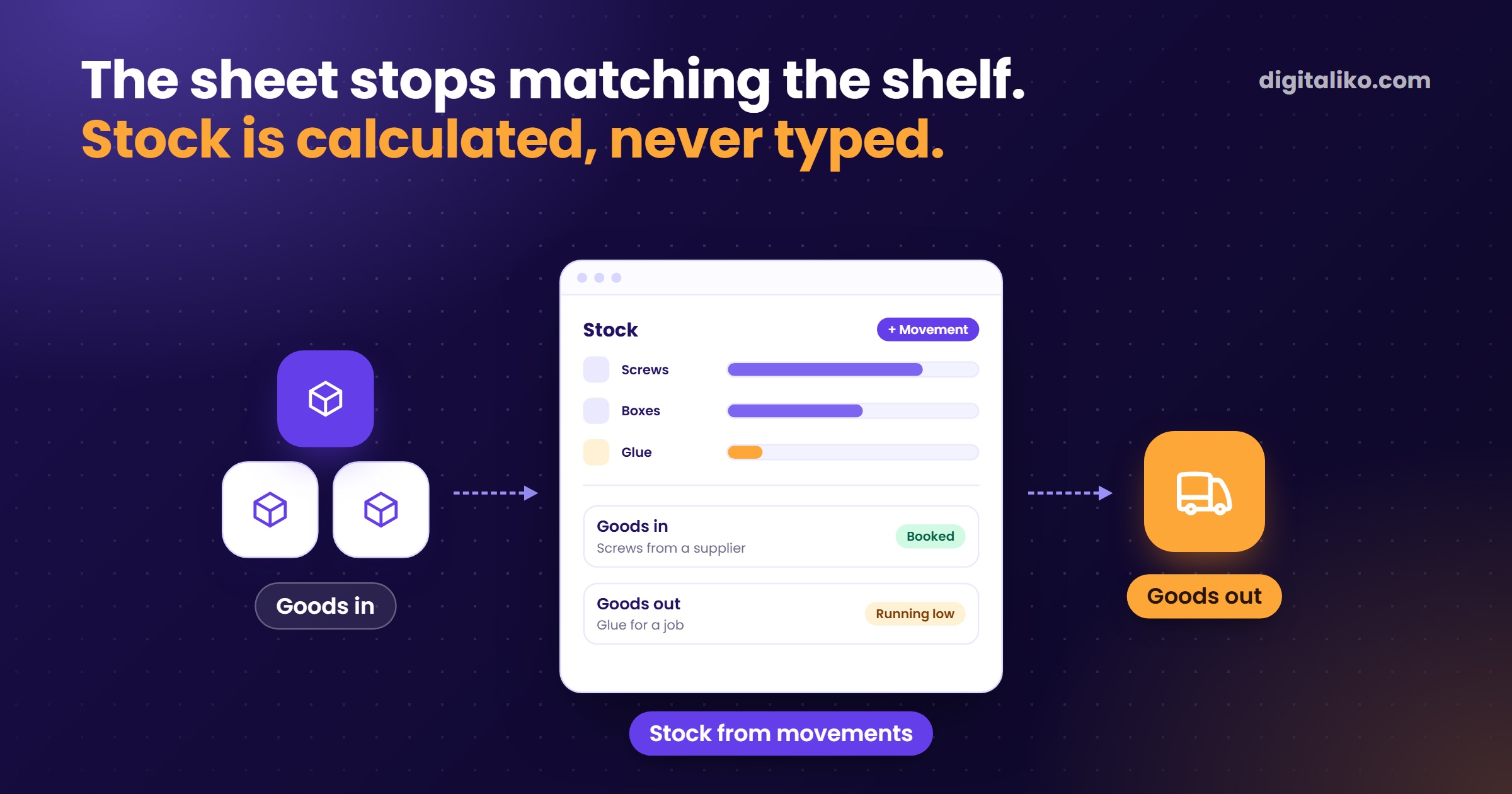
Inventory in Excel works while one person moves the stock and logs every movement right away. You need a system once receiving, issuing and selling are done by different people. That is when the sheet stops matching the shelf.
Below is a simple sheet structure that lasts for years. Then five signs it no longer holds, and how to move to a system without chaos.
What should simple inventory in Excel look like?
The most common mistake is one sheet where the stock is overwritten by hand. After a month nobody knows why it says 50 and not 47. Two sheets and one rule work better: nobody types the stock, the stock is calculated.
| Sheet | Columns | Rule |
|---|---|---|
| Items | Code, Name, Unit, Minimum, Location, Stock, Reorder | One row is one item. The code never changes. Stock and Reorder are formulas only. |
| Movements | Date, Code, Type, Quantity, Document, Who | Rows are only added, never overwritten. Receipts positive, issues negative. |
How do you set it up in one afternoon?
Four steps in plain Excel, no macros.
01
Format them as tables
Select both ranges, use Format as Table and name them Items and Movements.
02
Limit what can be entered
In the Type column, set Data Validation with a list: receipt, issue, stocktake. Let Code take values only from the list in Items.
03
Leave the stock to a formula
In the Stock column of Items, enter =SUMIFS(Movements[Quantity],Movements[Code],[@Code]).
04
Let Excel tell you what to reorder
In the Reorder column, enter =[@Stock]<[@Minimum]. TRUE means reorder.
This structure has one more advantage. If you ever move to a system, the Movements sheet transfers with almost no work.
How do you record a stocktake in Excel?
Do not record a stocktake by overwriting the stock. Record the difference as a movement of type stocktake. You counted 47 and the sheet shows 50? Add a row with minus 3.
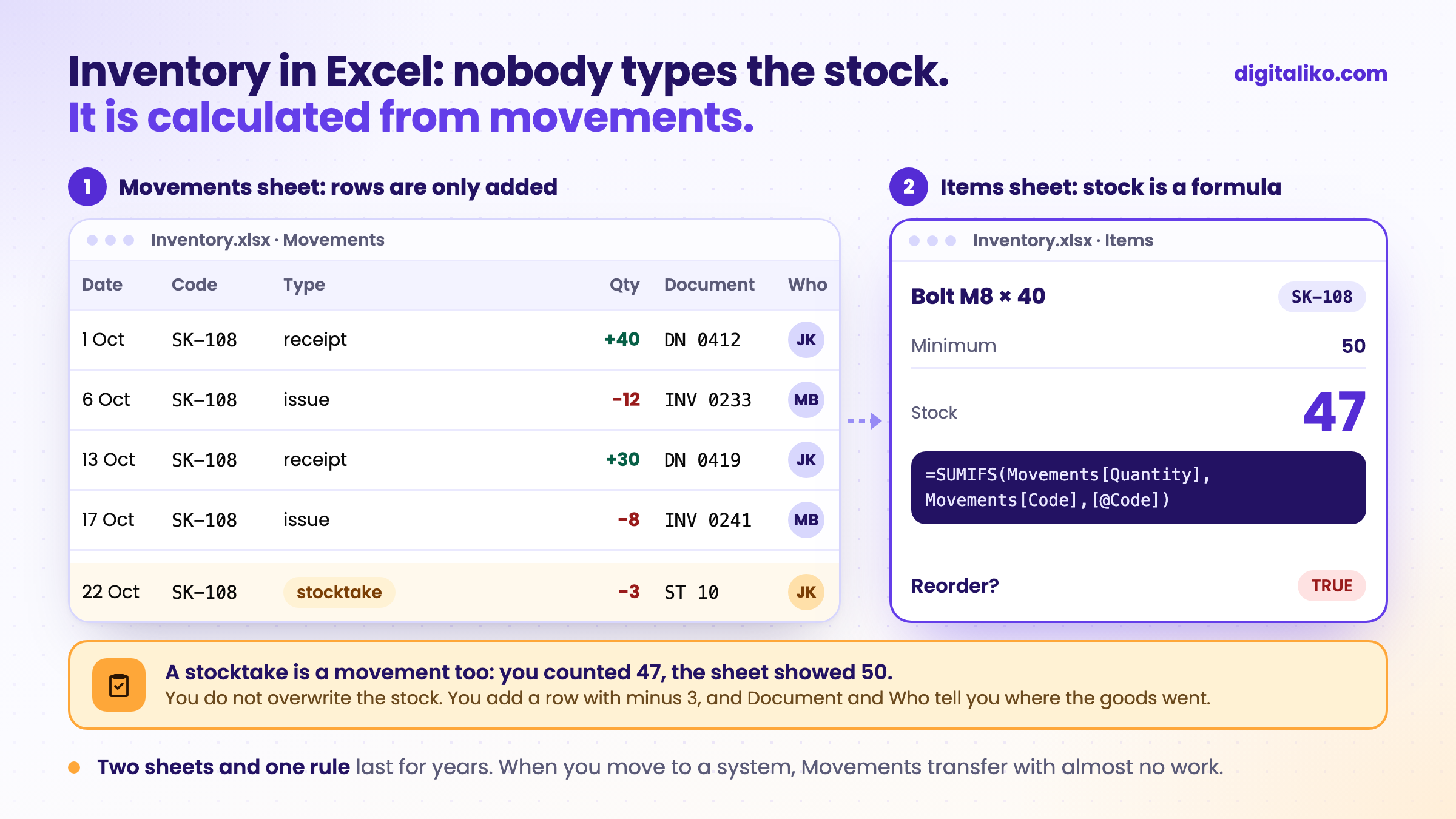
The Document and Who columns look pointless. As long as the stock matches. Then they are the only columns that tell you where the goods went missing.
How do you know Excel is no longer enough for inventory?
Tick what is true for you. Every unticked item is one sign that the sheet is not enough. A system is worth considering from two signs.
If writing from several places is what hurts, read why shared Excel for multiple users breaks. A wider view of all processes, not just inventory, is in When is Excel no longer enough for a business?.
Download the checklist: When Excel is no longer enough (PDF)
What instead of Excel for inventory?
Not always a custom system. Choose by how ordinary your warehouse is.
Inventory module in your accounting software
- If your accounting or invoicing software has an inventory module, try that first.
- A standard warehouse works much the same everywhere.
Off-the-shelf inventory software
- Fits when your warehouse is ordinary: receipts, issues, sales.
- Before signing, ask how you will get your data out. If the answer is PDF only, be careful.
Custom system
- When inventory is tied to a process that sets you apart: orders, production or transport.
- When you type the same data into three tools that know nothing about each other.
Honestly: we have not yet built a stand-alone inventory system for anyone. We build systems tied to a company's process, as part of business process automation. If the first or second column fits you, you do not need us.
How do you move from Excel to a system without chaos?
From moving one company off Excel to a system, we have three rules.
Do not start with a big migration. Attach the system to work people already do every day. At a freight forwarder we work for, the new system stayed half-empty for a long time. People filled it in next to their work, not during it. For inventory that means one thing: every receipt and issue is recorded where it happens.
Leave a way back. Export to Excel calms even the biggest sceptic. When people know they can go back to Excel, they try the system more willingly.
Export safely. When someone types a company name starting with "=", Excel may run it as a formula when the export opens. That is why the system we built for that forwarder neutralises such text on export. Ask your vendor about it too.
We used the same approach in our own accounting. We did not replace everything. We replaced one process that kept repeating: processing invoices.
- per invoice, down from 10 to 15 minutes
- < 1 min
- go through with no person at all
- 70 %
- running
- 2+ years
What manual entry costs you, the automation ROI calculator works out. If stock is only part of the problem and customers live in another sheet, see also Excel as a CRM: where it breaks.
When we don't recommend it
- One person handles the stock and the numbers match. Stay in Excel. The two-sheet structure is free and you do not need us.
- Your accounting or invoicing software has an inventory module. Try that first. A standard warehouse works much the same everywhere.
- Your warehouse is ordinary: goods in, goods out, sales. Buy an off-the-shelf inventory tool. Just check the data export.
- Movements get written down in the evening from a scrap of paper. A new system will not fix that alone. First a rule: log each movement where it happens.
Is your inventory more in someone's head than in the sheet?
Send us your inventory Excel, even an untidy one. We get back to you within two business days, and together we pick what to fix first.
If you'd rather talk first, book a 15-minute meeting with Filip.
How much does one stocktake that doesn't match cost you?
In short
- Excel works for inventory while one person moves the stock and logs each movement right away.
- Two sheets, Items and Movements, and one rule: nobody types the stock, a formula calculates it from movements.
- Record a stocktake as a movement with the difference, never overwrite the stock.
- Consider a system from two signs. Try an inventory module or off-the-shelf software first, a custom system only when inventory is tied to your own process.
Frequently asked questions
Can you run inventory in Excel?
Yes, while one person moves the stock and logs every movement right away. Two sheets are enough: Items and Movements. Stock is calculated by a formula, nobody types it in by hand.
How do you calculate current stock in Excel?
Enter receipts as positive numbers and issues as negative. The stock of an item is the sum of its movements, for example with SUMIFS over the Movements table by item code.
How do you record a stocktake in Excel?
Do not overwrite the stock. Record the difference as a new movement of type "stocktake". If you counted 47 pieces and the sheet shows 50, you enter minus 3.
When does inventory need a system instead of Excel?
When several people write into the file from different places, when you sell goods you no longer have, when the stocktake never matches and nobody knows why, or when one person holds the file. Two of these signs are enough.
What happens to the Excel data after switching to a system?
If you have a clean movements table, it moves over with almost no work. And a good system can give your data back to Excel at any time.
Ask AI about this article
The AI also draws on our other articles and experience from real projects.
ChatGPTClaudePerplexity