Which business processes should you automate first?
Process automation · Updated

Filip Papranecfounder of Digitaliko
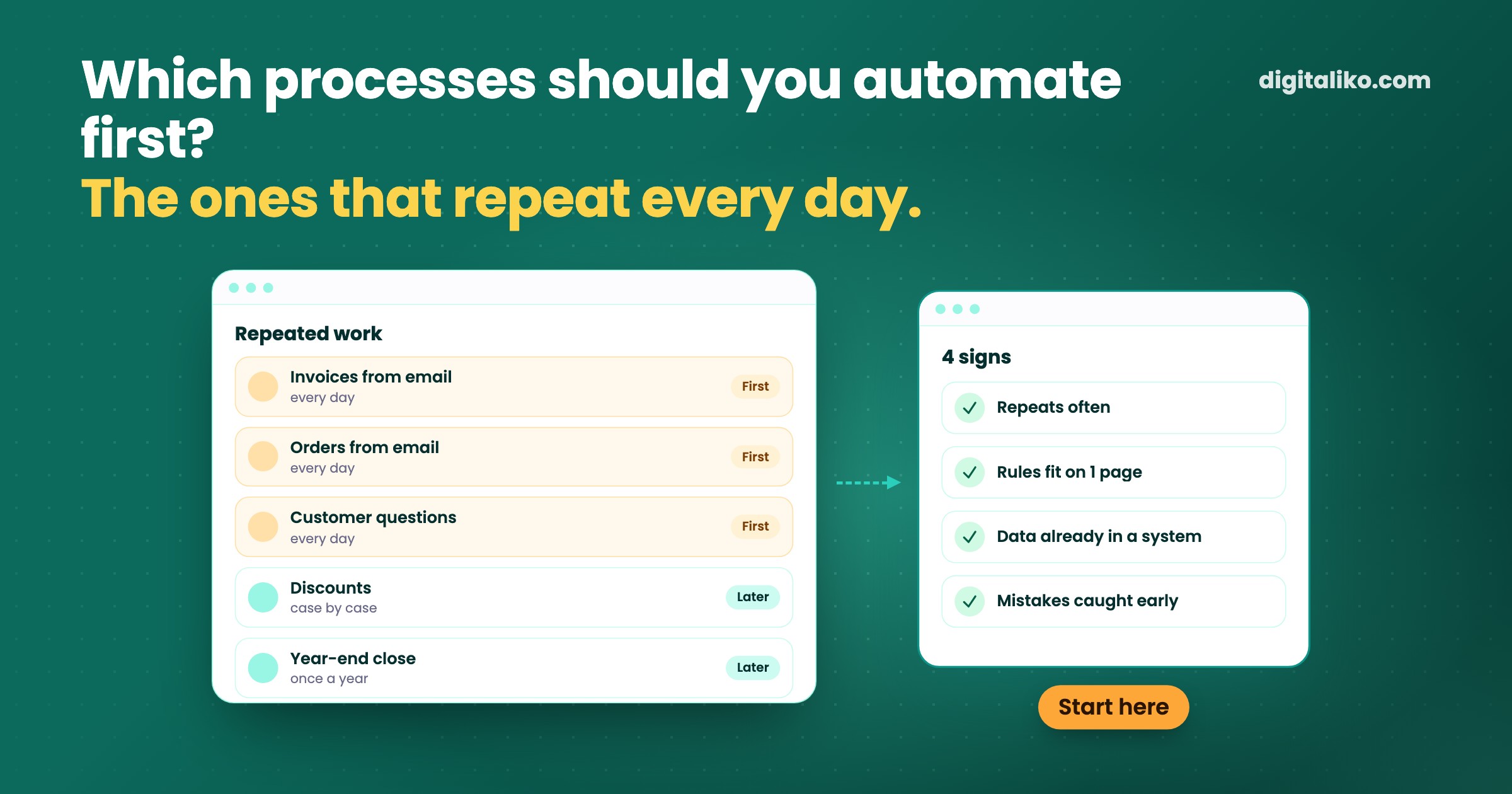
In business process automation, start with work that repeats every day, follows clear rules and whose data you already have in email or a system. The first candidate is usually retyping: invoices and orders from email into your software, answers to the same customer questions, searching through spreadsheets. Leave decisions, exceptions and processes that change every month for later.
Below you will find four signs of a good first process, what changed in processes we automated, and a checklist for yours.
How do you spot the process to automate first?
The first process should not be the biggest one. It should be the one where you see fastest whether automation works. Look for four signs:
| Sign | Good first candidate | Better later |
|---|---|---|
| How often | Every day or every week | Once a quarter |
| Rules | Fit on one page | “It depends” |
| Data | Already in email, PDF or a system | On paper or in one person’s head |
| Mistakes | Caught before anything goes out | Show up only at the customer |
The more rows land on the left, the better the candidate. A process that takes five minutes but repeats forty times a day costs more than an hour of work once a month.
It helps to write the process down before you decide about it. Fill in a process map online or in Excel: who does the work, in which program, where the data comes from and where it waits.
What changed in processes we automated?
Two processes that met all four signs, with numbers from live operation, and one typical next candidate:
| Process | Before | After automation |
|---|---|---|
| Invoices arriving by email, into accounting | 10 to 15 minutes per invoice, typed in by hand | Under 1 minute, 70 % of invoices go through with no person involved |
| Answers to customers (online retail client) | Reply within hours | Reply within 5 minutes, support handles only the more complex cases |
| Orders from email into the system (typical example) | Someone retypes every order by hand | The order is created on its own, a person checks only the exceptions |
What they have in common: this is work people do daily and can describe precisely. An invoice has a supplier, an amount and a due date. A customer asks where their order is. An order has a customer, line items and a delivery date.
None of these processes is 100 % automatic. With invoices, 30 % go through a person on purpose: a new supplier, a scanned invoice or several VAT rates. More on that in Invoice data extraction: OCR tool or a whole system?.
How do you choose the first process step by step?
When choosing the first process, we recommend this approach:
01
List five repeated tasks
Not the whole company. Five tasks people do every day or week that hold them up the most.
02
Count the time
How many times a week and how many minutes per round. An estimate is enough: you need the order, not an exact number.
03
Check the four signs
How often, rules, data, mistakes. Work that has all four moves to the top.
04
Pick one
One task, not five. Write the target down in advance: from how many minutes to how many.
05
Measure before and after
The same way as at the start. Only once it runs in live operation, pick the next one.
Step 4 is the hardest. Every manager wants their own work to go first. Decide by the time and the four signs, not by who is loudest.
What should you not automate first?
Some work looks like the ideal candidate because it takes a lot of time. It is still not a good place to start:
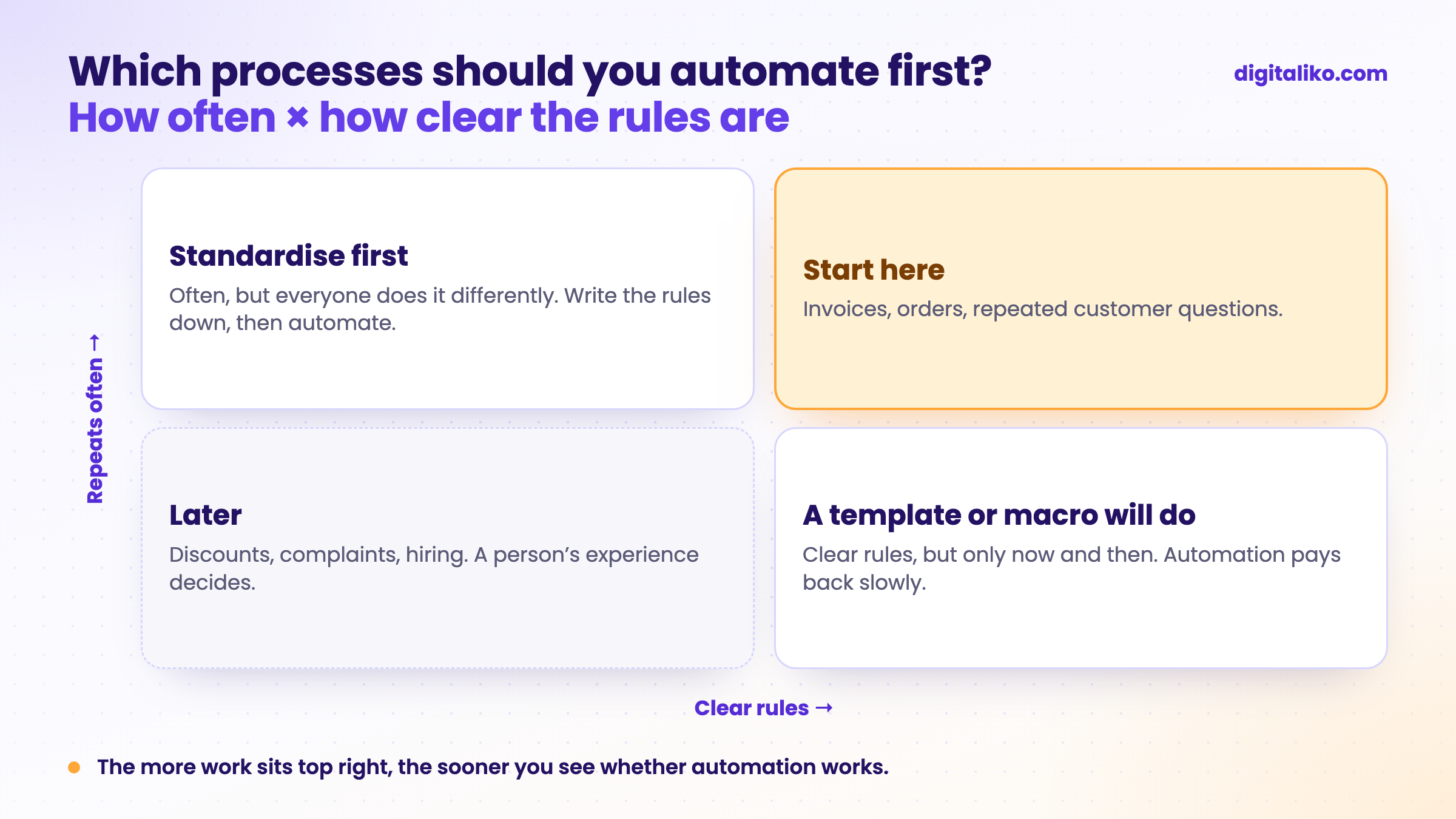
- Decisions that need experience. A discount for a regular customer, a complaint, choosing a supplier. The system can prepare the groundwork, a person decides.
- A process you are changing right now. A new price list, new software, a new structure. Wait until it settles.
- Work that happens now and then. A year-end close or a stocktake takes a lot of time at once, but automation pays back slowly.
When classic automation is enough and when you need an AI step or an agent, we cover in Agentic workflow vs automation: which fits your process.
Is your process ready for automation?
Tick what is true about your candidate:
How to approach orders is described in How to automate email order processing with AI.
When we don’t recommend it
- The work takes a few hours a month. Automation will not pay back. A better template or a macro is enough.
- Off-the-shelf software already does it. If your accounting or inventory software has the feature, switch it on. Consider a custom solution only when that is not enough.
- Nobody will check the result. In the first weeks someone has to look at what the automation did. Without that, you see mistakes only at the customer.
Not sure where to start?
Tell us which tasks repeat every day in your company. We get back to you within two business days with a few questions about your work. Then we agree on what we do first.
If you'd rather talk first, book a 15-minute intro call.
How we automate processes in companies is described on the Business process automation page. The code and the data are yours from day one.
Which task in your company would you get rid of first, if you could?
In short
- The first process to automate repeats often, follows clear rules, has its data already on a computer, and mistakes are caught before anything goes out.
- With invoices arriving by email: from 10 to 15 minutes to under 1 minute, 70 % with no person involved.
- Leave decisions, exceptions and processes that keep changing for later.
- Start with one process, write the target down in advance and measure before and after.
Frequently asked questions
Which business processes should you automate first?
The ones that repeat every day or week, follow clear rules, have their data already in email or a system, and where you can catch a mistake before it reaches a customer. Typically retyping invoices and orders, answering repeated customer questions and searching through spreadsheets.
What should you not automate first?
A process that changes every month, a process nobody can describe, and work where a person’s experience decides, such as discounts, complaints or hiring. There, automation first speeds up the chaos.
How do I find out what a process costs me?
For one week, note how often the work repeats and how many minutes one round takes. Multiply the two and you have hours per month. A process map helps: who, what, in which program and where it waits.
Do I need AI for automation?
Often not. When the data is structured and the rules are fixed, classic automation is enough. An AI step is needed where text written by people has to be read: emails, PDF invoices, orders in different formats.
How many processes should you automate at once?
One. The first process shows whether the data is in order and whether people accept the new way of working. Only once it runs in live operation does it make sense to add the next one.
Ask AI about this article
The AI also draws on our other articles and experience from real projects.
ChatGPTClaudePerplexity

