Invoice data extraction: OCR tool or a whole system?
Process automation · Updated

Filip Papranecfounder of Digitaliko
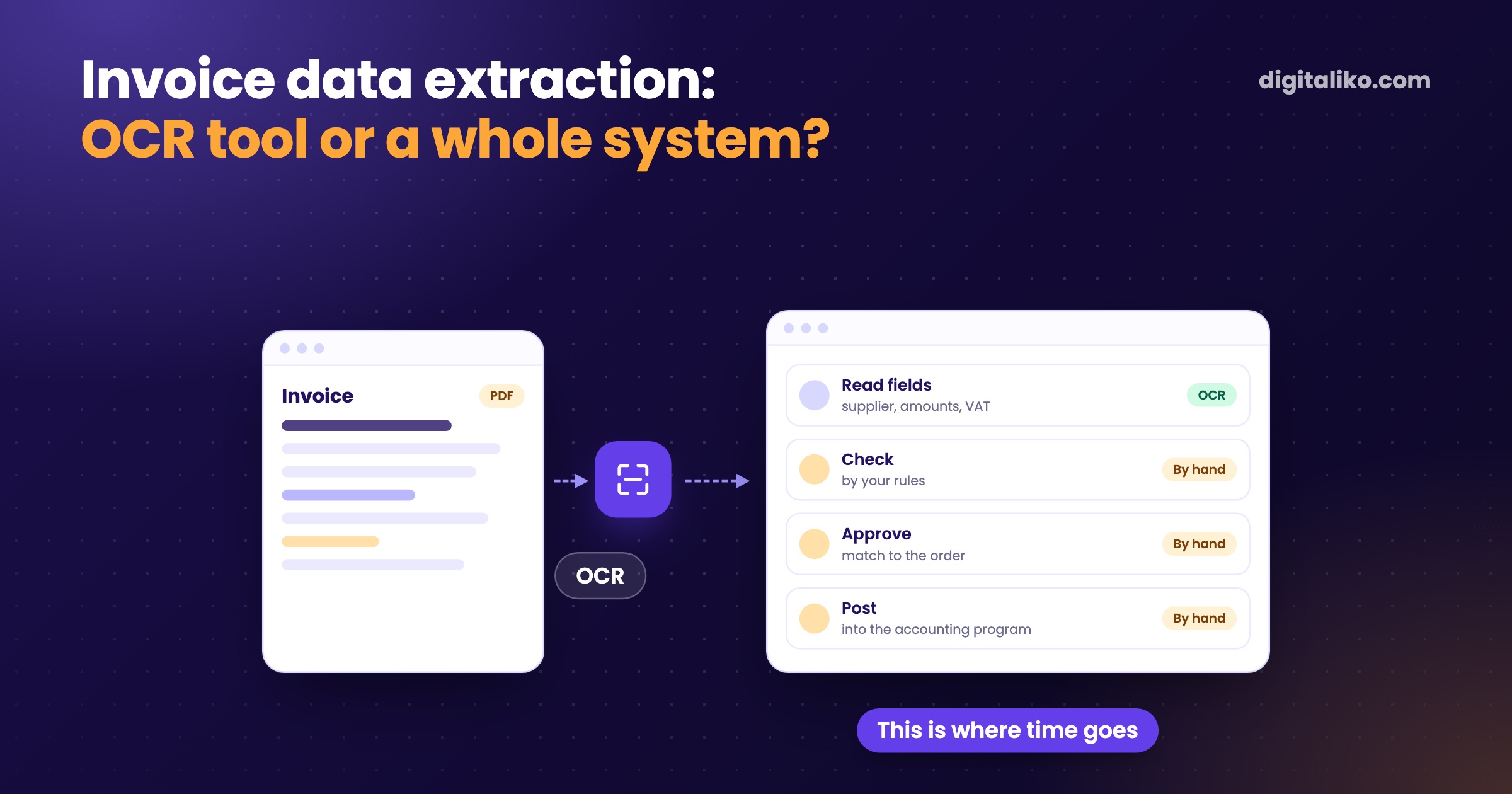
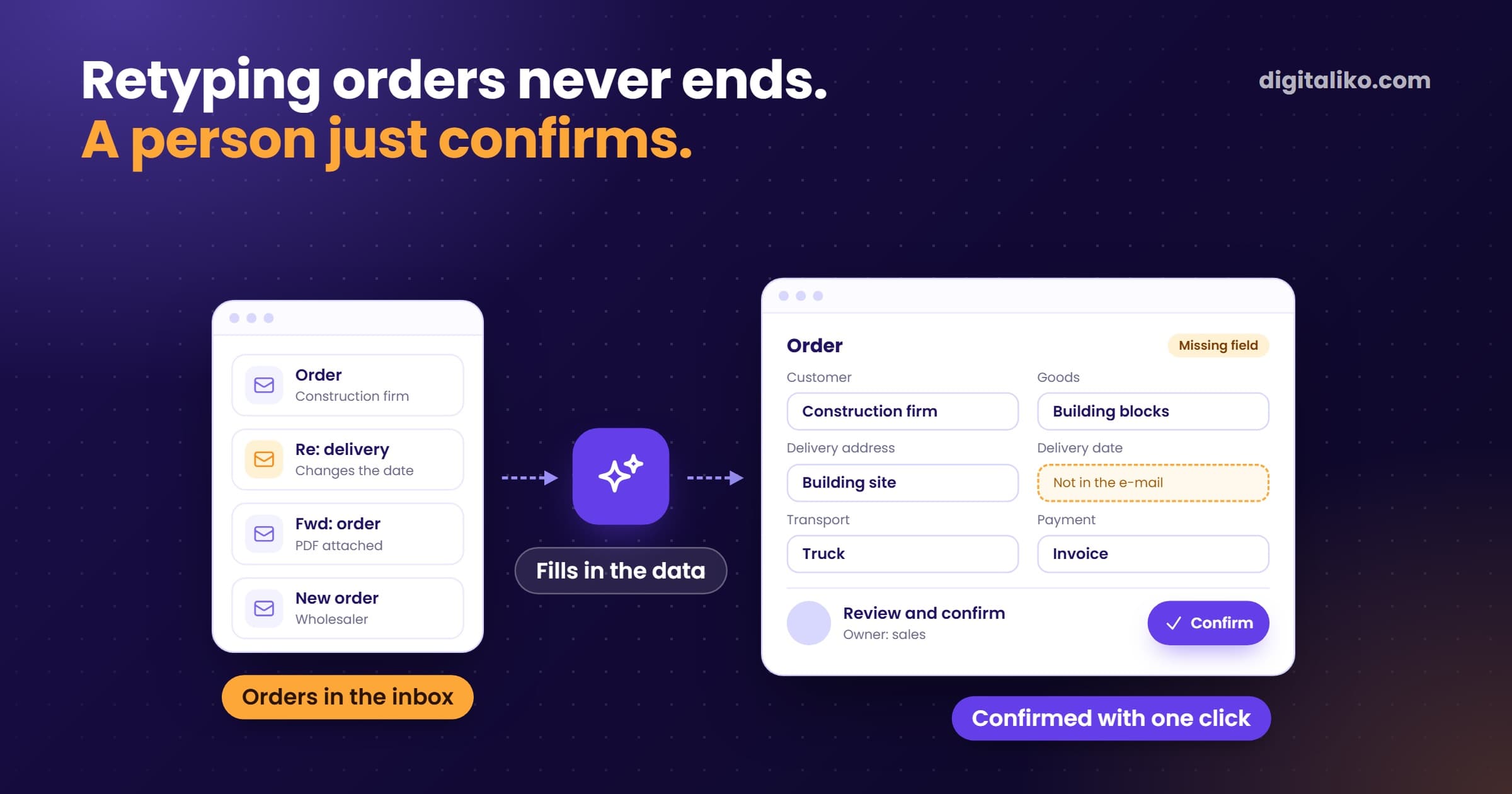
We retype invoices into the accounting system by hand, and the first idea is an invoice data extraction tool. An extraction tool reads the PDF and fills in the fields. Approval, matching to the order and posting, however, often stay manual.
If most of the time goes there, you need to automate the whole flow, not better OCR. Below is how to measure it in one afternoon, our own numbers, and when an off-the-shelf tool is enough.
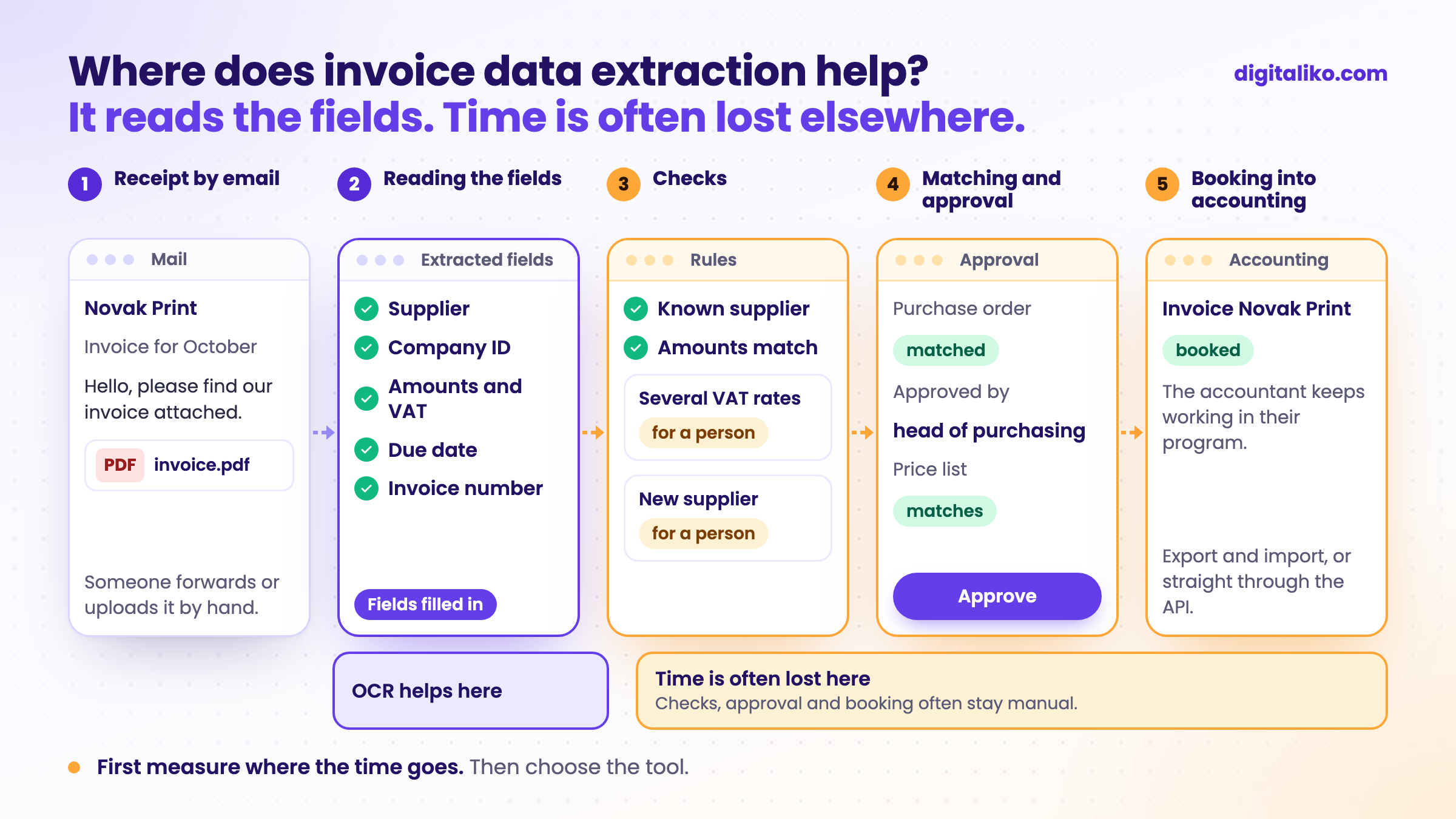
What does invoice data extraction do, and what not?
Processing an invoice has five steps. An extraction tool reliably handles one of them. The rest depend on the tool you pick and how you connect it.
| Step | Extraction tool (OCR) | End-to-end automation |
|---|---|---|
| 1. Receiving the invoice from email | Sometimes, often it has to be uploaded by hand | Yes, it watches the inbox itself |
| 2. Reading fields from the PDF | Yes, that is what it is for | Yes |
| 3. Checking supplier, amounts and VAT | Partly, depending on the tool | Yes, by your rules |
| 4. Matching to the order and approval | Rarely, or only in an extra module | Yes, exceptions go to a named person |
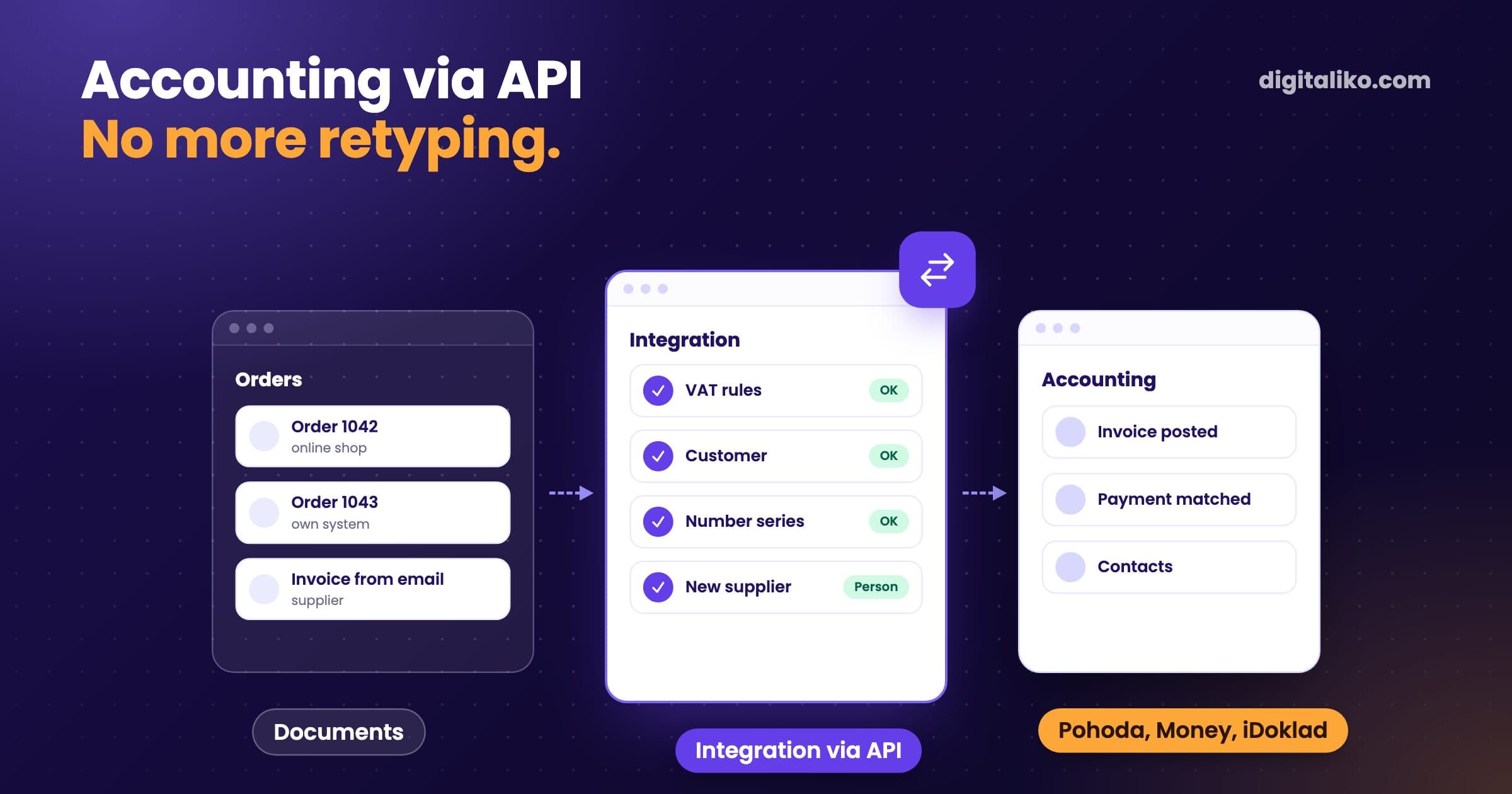
| 5. Posting to the accounting system | Export or import, often by hand | Yes, straight through your program's API |
Extraction is a good tool for step 2. The trouble starts when you expect it to save time in steps 3 to 5.
Where does invoice time really go?
Measure it before you choose a tool. One afternoon and a stopwatch are enough.
01
Take 10 ordinary invoices from last month
02
For each one, write down the time for the five steps in the table
03
Add up the minutes spent retyping fields (step 2)
04
Add up the minutes spent on checks, approval and posting (steps 3 to 5)
05
Note how many invoices were "odd": a scan, a new supplier, several VAT rates
If most of the time falls on step 2, buy an extraction tool. If it falls on steps 3 to 5, OCR will save you only a small part.
Our example: our own accounting
In our own accounting we used to retype invoices from email by hand. One invoice took 10 to 15 minutes. We did not buy a ready-made extraction tool. We wanted to stay in the accounting program we already use.
We built an automation that reads invoices right in the inbox and posts them to the accounting program. Today one invoice takes less than a minute. 70 % go through with no person at all, and it has been running for over two years.
- per invoice, down from 10 to 15 minutes
- < 1 min
- go through with no person at all
- 70 %
- running
- 2+ years
The remaining 30 % go through a person on purpose. A scanned invoice, a new supplier or several VAT rates end up in front of someone who checks them. In accounting it is better to ask twice than to book wrong once.
One lesson: the same supplier wrote its name differently on different invoices. That created duplicates until we started matching suppliers by company ID.
I wouldn't build it so it runs 100 % automatically. The system fills everything in, but you still take a look. You click yes or fix it, and off it goes.

Orders from email work much the same way. We describe the approach in Automate email order processing.
How to decide: OCR or a system?
An extraction tool is enough if:
- Most of the time goes into retyping fields, not into checks.
- You do not need to match invoices to orders or delivery notes.
- One person approves and needs no rules for it.
- Your accounting program can import the result without more retyping.
You need end-to-end automation if at least one applies. Tick what is true for you:
With us, a system like this is part of the subscription, with no per-user fee. Try the first month. If we miss what we wrote down, we refund 50 %. Monthly subscription from €3,980 excl. VAT, pause or cancel any time. Or a fixed price per project: tell us what you need and we send you a quote. Code, data and infrastructure owned by the client from day one.
Whether automation is enough for your case or you already need an AI agent is in What is an AI agent?. How we build this kind of automation for you is on the business process automation page. What the manual work costs you today is what the automation ROI calculator works out.
When we don't recommend it
- You have few invoices. With a handful a month, automation does not pay back. Keep retyping or use the extraction built into your program.
- Your accounting program already has extraction and it is enough. Switch it on. You do not need a new system.
- You expect 100 % of invoices with no person. Automation that promises that is not honest. Someone has to take the exceptions.
- Nobody can say how invoices are approved today. Write the process down first. Automating chaos gets you faster chaos.
Not sure whether extraction is enough?
Send us what you do with invoices by hand today, step by step. We get back to you within two business days, and together we pick what to fix first. We will also tell you if an extraction tool is enough.
If you'd rather talk first, book a 15-minute meeting with Filip.
Which invoice step costs you the most time today?
In short
- An extraction tool (OCR) reliably reads fields from a PDF. That is one step of five.
- Time is often lost in checks, approval, matching and booking.
- Measure 10 invoices with a stopwatch first. Then choose the tool.
- In our own accounting an invoice takes under a minute and 70 % go through with no person.
Frequently asked questions
What is invoice data extraction?
Invoice data extraction means software reads a PDF or scan and pulls out the data: supplier, company ID, amounts, VAT and due date. Nobody has to retype it. What happens to the data next depends on the tool.
Is OCR enough for invoices?
It is when the time goes mostly into retyping fields. If it goes into checks, approval, matching to orders or posting to the books, OCR will not save it. Then you need to automate the whole flow.
How many invoices can be processed with no person involved?
In our own accounting, 70 % of invoices go through with no person at all. The rest go to a person on purpose: scanned invoices, new suppliers or several VAT rates. We would not recommend running it with no checks at all.
Do we need to change our accounting software to automate invoices?
No. We connect the automation to the program you already use, as long as it has an API or an import. Your accountant keeps working where they are used to.
Ask AI about this article
The AI also draws on our other articles and experience from real projects.
ChatGPTClaudePerplexity