Shadow AI: apps people built with AI outside IT
Software ownership and vendors

Filip Papranecfounder of Digitaliko
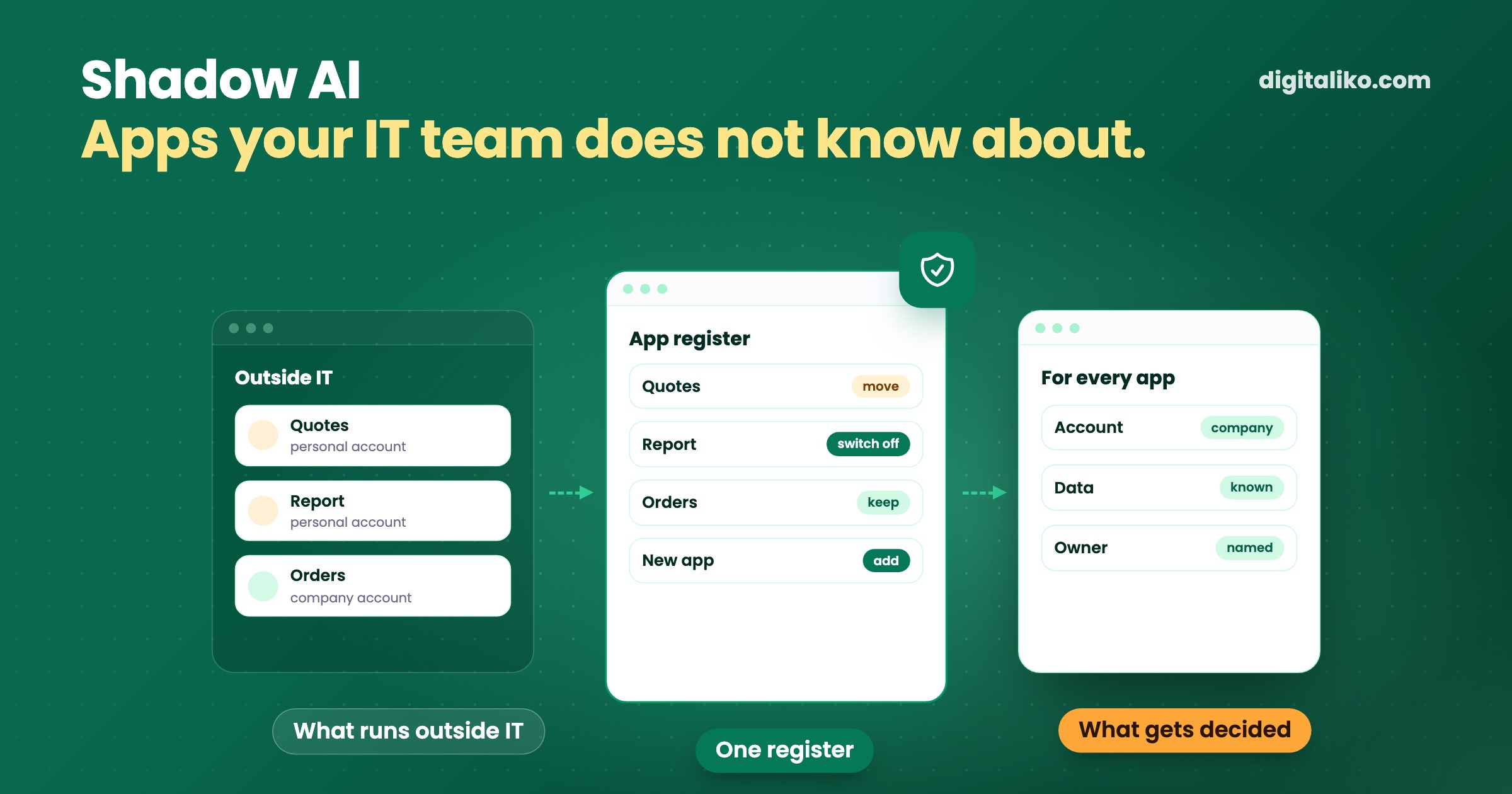
Shadow AI means apps and AI tools that people in a company built or switched on without IT knowing. It is the newer form of shadow IT: a colleague uses AI to build a quoting or reporting tool in an afternoon, and it runs on their personal account. A ban will not stop it. The first step is a register, and for every app three questions: whose account it runs on, what data goes into it and who switches it off.
Below: why shadow AI happens, what to do instead of a ban and how to build the register in one week. The article is for the head of IT and for the department head whose people are building the apps.
What is shadow AI and why does it happen?
A few years ago, someone outside IT could build a complicated spreadsheet at most. Today they build an app with AI: a form, a small order system, a tool that reads emails. It works, it saves them time and they want to share it with colleagues.
Usually it runs on their personal account. Their AI subscription, their hosting, their password. IT does not know about it, or knows but has no capacity to review it.
People do not do this to get around IT. They do it because suddenly they can, and the work has to get done. The UK National Cyber Security Centre says it plainly about shadow IT:
It's important to acknowledge that shadow IT is rarely the result of malicious intent. It's normally due to employees struggling to use sanctioned tools or processes to complete a specific task, so they'll adopt unofficial measures to help them complete their work.
With AI this is even more true. The difference from the old shadow IT is speed. An app is built in an afternoon and works with real customer data the same day.
Which three questions should you ask about every app?
You do not need to audit every line of code right away. Three questions are enough for the first decision:
- Whose account does it run on? A company account, or the personal account of whoever built it. A personal account means company data now sits outside the company.
- What data goes into it? Sample data, or real customer records, invoices, prices. The more sensitive the data, the sooner it needs attention.
- Who switches it off? The name of the person responsible for it, and the date it ends unless someone renews it.
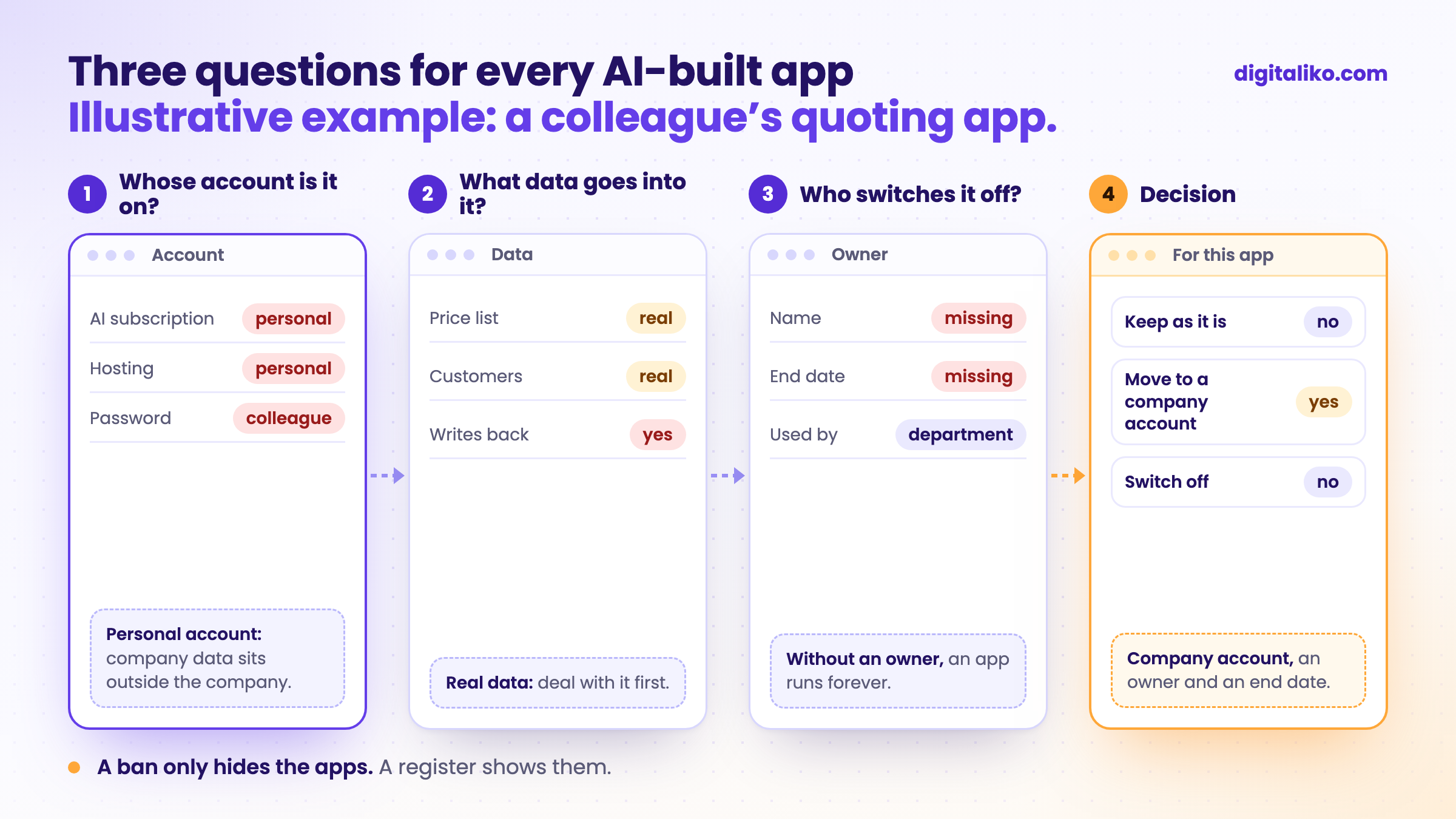
The answers lead to one of three decisions. The app can stay as it is. It can move to a company account and get an owner. Or it gets switched off because nobody needs it anymore.
The third question is the one most often left unanswered. AI-built apps appear fast and never go away. Nobody switches them off because nobody knows whether anyone still uses them. So they keep running, with access to data and nobody looking after them.
Ban, approve each one, or shared rules?
When IT finds out people are building apps, it has three options. Each one has a cost:
| Approach | What happens | When it makes sense |
|---|---|---|
| Ban | The apps move to where nobody sees them. People download an export and upload it to an AI tool on a private account. | Only for data that must never leave the company. |
| Approve every app separately | Works for five apps. With fifty, IT cannot keep up with reading and people stop asking. | For a few apps that handle sensitive data. |
| Shared rules for all apps | IT sets them once. Whatever follows them goes ahead without waiting. Whatever breaks them lands on IT's desk. | When apps keep multiplying and most do similar things. |
Shared rules do not have to be complicated. An app starts from a template IT prepared, not from an empty folder. It runs on a company account. It gets read-only access to data, through one place IT can see. And it sits in the register with an owner and an end date.
Data is the most sensitive point. When an app is not allowed near any data, people get the data some other way. It is safer to give read-only access, with a record of who asked for what. More on limiting what AI is allowed to do is in our article AI guardrails: what a business AI agent must not do.
How do you build a register of AI apps in one week?
The register is the first step. Without it, nothing else can be decided. You can build it without any new tool:
01
Ask without blame
A short message to the whole company: what have you built or switched on with AI that you use every week? Nobody gets told off for answering.
02
Write down every app
Name, who built it, who uses it and what for. One spreadsheet is enough.
03
Ask the three questions
Whose account it runs on, what data goes in, who switches it off. Where an answer is missing, that is the first task.
04
Decide for each one
Keep, move to a company account, or switch off. Start with the ones that hold real customer data.
05
Repeat every quarter
New apps will appear. A register without a next review date is out of date within six months.
The first step matters most. If people are afraid to admit what they built, the register stays empty and the apps keep running. The tone of the message decides more than its content.
When should IT take over an app?
Some apps outgrow the person who built them. A whole department uses them, they work with real customer data and an outage would stop the work. At that point, moving them to a company account is not enough. You need to know what is under the surface.
AI-written code tends to be inconsistent. It gets a security check right in one place and skips it in the next. That is exactly what we saw in the audit of an app a founder built on their own with AI. The code was not bad, but nobody knew where the holes were.
- Audit verdict: harden or rewrite, and what to fix first.
- within 10 working days
A rewrite from scratch is rarely the right answer. Usually it is enough to harden a few places and add what the AI never set up. What such an app usually lacks is in our article Vibe coding to production: what the prototype is missing.
Do you know what runs in your company?
Tick what you actually know today about the AI-built apps in your company:
When not to bother
- People only use AI to write text. If people use AI for emails and summaries and do not build apps, they need rules on what data not to put into AI, not an app register.
- There are two apps and both run on a company account. Nothing needs building. A register once a quarter is enough.
- You want a full approval system right away. Without a register you do not know what you are approving. Register first, rules second.
Want to know whether your app will hold up?
If an app built with AI already runs in your company and work depends on it, tell us what it does and who uses it. With an audit of an app built with AI you know within 10 working days whether to harden it or rewrite it, and we make the first fix from the verdict directly in your repository.
If you’d rather talk first, book a 15-minute intro call.
How many AI-built apps could you name today without asking anyone?
In short
- Shadow AI means apps and AI tools people built or switched on without IT. They appear because people need to get their work done.
- Three questions per app are enough: whose account it runs on, what data goes in and who switches it off.
- A ban only hides the apps. Shared rules that IT sets once work better.
- Review an app that work and real data depend on before more colleagues start using it.
Frequently asked questions
What is shadow AI?
Shadow AI means AI tools and apps that people in a company use or built without IT knowing. For example, a quoting app someone made with AI that runs on their personal account. It is the newer form of shadow IT.
What is the difference between shadow IT and shadow AI?
Shadow IT is any tool outside IT, such as a private cloud drive or a file-sharing app. Shadow AI is part of it: AI accounts and apps people built with AI themselves. The difference is speed. An AI-built app is ready in an afternoon and works with company data right away.
Should a company ban shadow AI?
A ban rarely helps. People need to get their work done, so the apps move to where nobody sees them. A register of all apps and an easy way to move an app to a company account work better.
How do you find out which AI apps run in a company?
Ask people directly and without blame: what they built or switched on, which account it runs on and who uses it. For every app, write down three things: whose account it runs on, what data goes into it and who switches it off.
When should IT take over an app built with AI?
When more people use it, it works with real customer data or an outage would stop the work. At that point it should run on a company account, have an owner and go through a code and security review.
Ask AI about this article
The AI also draws on our other articles and experience from real projects.
ChatGPTClaudePerplexity

