Automated invoicing with an AI agent: a person approves
AI agents · Updated

Filip Papranecfounder of Digitaliko
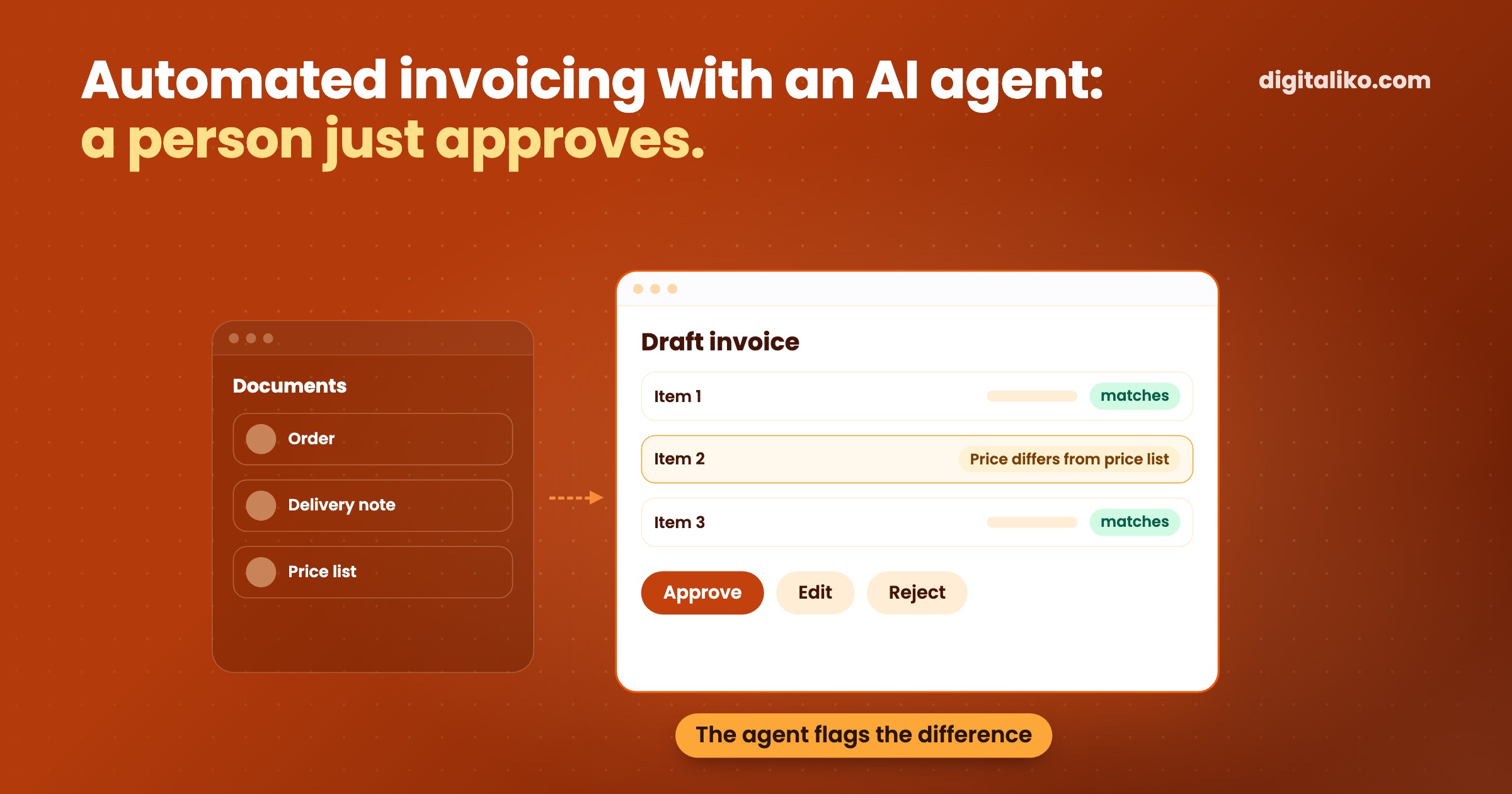
Automated invoicing with an AI agent means the agent prepares the invoice and a person just approves it. The agent takes the order, the delivery note or the timesheet, fills in the document in your accounting software and checks the rules. The person sees the finished draft with the source documents next to it and clicks approve, edit or reject.
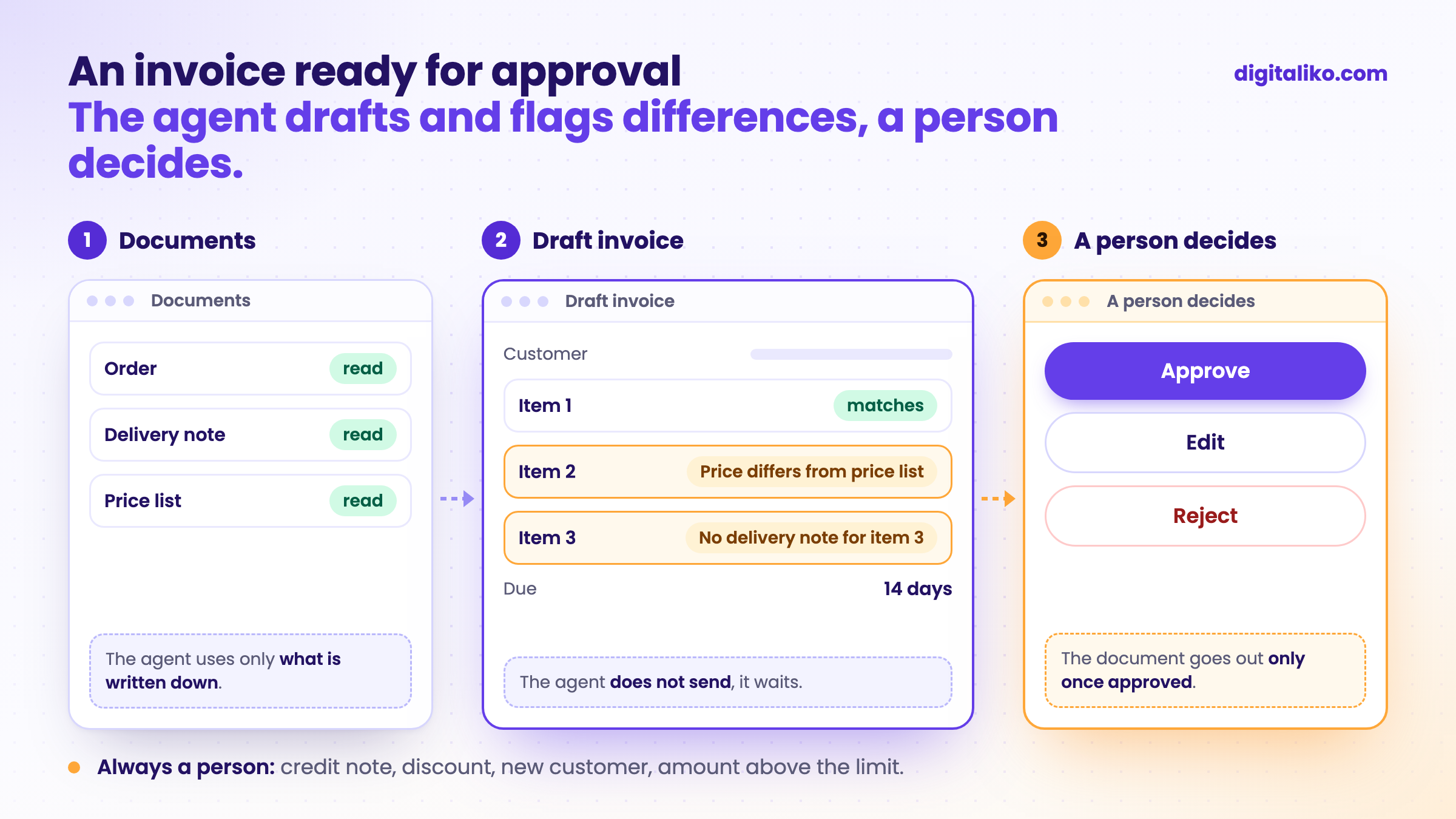
It works the same way for quotes, credit notes and payment reminders. Below you will find which documents suit this, what a person should always approve, and when it does not pay off.
What does an invoice ready for approval look like?
Today a person often writes the invoice from three windows at once. One has the order, the second the delivery note, the third the accounting software. The agent does the same thing, only faster, and at the end it does not wait for "send" but for approval.
01
The agent takes the documents
The order, delivery note, timesheet or contract. Wherever you keep them today.
02
It prepares a draft
Customer, line items, prices, due date. The draft sits in your accounting software, not in yet another tool.
03
It checks the rules
The price matches the price list, the VAT number matches the customer, the quantity matches the delivery note. What does not match, it flags.
04
A person approves
They see the draft and the documents. They approve, edit or reject. Only then does the document go out.
Step 3 is the important one. The agent should not just copy numbers. It should speak up when something does not match: a price different from the price list, a missing delivery note, a customer who is overdue. That is exactly where people lose time searching today.
Which documents suit this?
The ones put together from documents you already have in a system or in email. And where it is clear what is correct.
| Document | What the agent prepares it from | What the person checks |
|---|---|---|
| Invoice for delivered goods | Order and delivery note | Quantity and price against the delivery |
| Invoice for services | Timesheet or work report | Whether the timesheet matches the agreement |
| Quote | Customer enquiry and price list | Discount and date |
| Credit note | Complaint and original invoice | Whether the customer is entitled to a credit note |
| Payment reminder | Unpaid invoices | Whether the customer has paid or called in the meantime |
The more documents are missing, the less the agent helps. If the price is agreed over the phone and written down nowhere, the agent has nowhere to take it from.
What must a person always approve?
An invoice is a document that leaves the company and is about money. A mistake in it costs the customer's trust, not just the time to fix it.
The agent should never pay or change bank details. That is not invoicing, that is a risk. How to decide which steps a person approves and how not to overload them is covered in Human in the loop: when should an AI agent wait?.
An example: invoices that arrive by email
We use the same principle for invoices that arrive by email, only in the opposite direction. The system reads them and records them in the accounting software. What is clear goes through on its own. What is not ends up in front of a person.
- per invoice, previously 10 to 15 minutes
- under 1 min
- of invoices go through with no person at all
- 70 %
The rest goes through a person on purpose. A new supplier, a scanned invoice or several VAT rates. For issuing invoices we recommend the same: clear types on their own, the rest for approval.
How we read incoming invoices, and when plain data extraction is enough, is covered in Invoice data extraction: OCR tool or a whole system?
Does it pay off for you?
Tick what is true for you:
When we do not recommend it
- You issue a few invoices a month. The agent will not pay for itself. A template in your accounting software is enough.
- Your invoices are the same every month. Accounting software has recurring invoices for that. You do not need an agent.
- Prices are agreed verbally and written down nowhere. The agent has nothing to work from. Start writing agreements down first.
- You want the agent to send credit notes or discounts on its own. We do not recommend it. Leave these documents to a person.
Do you write invoices from three windows at once?
Tell us which documents you issue and what you build them from. We get back to you within two business days with a few questions about your work. Then we agree on what we do first.
If you would rather talk first, book a 15-minute intro call.
How we build an agent like this is described on A custom AI agent for your business.
Which document in your company is still made by hand, even though the data is already in a system?
In short
- The agent prepares an invoice, quote or credit note from documents you already have, and a person approves it.
- Most of the work is the check: the agent flags what does not match the price list, the order or the delivery note.
- In the first weeks a person approves every document. Credit notes, discounts and new customers always.
- If your invoices are the same every month, recurring invoices in your accounting software are enough.
Frequently asked questions
What is automated invoicing with an AI agent?
An AI agent takes the documents a person writes the invoice from today (the order, the delivery note, the timesheet) and prepares a draft in your accounting software. A person checks and approves it. Only then does the invoice go to the customer.
Can an AI agent send invoices to customers on its own?
Not in the first weeks. A person approves every document. Later, only repeat invoices where the person no longer corrects anything can go out on their own. Always leave credit notes, discounts and new customers to a person.
How is this different from recurring invoices in accounting software?
A recurring invoice issues the same thing every month. An agent fits where the invoice is put together from different documents and is different every month: based on units delivered, hours worked or orders.
Do I need new accounting software for this?
No. The agent prepares documents in the software you already use, as long as it has an interface for importing or writing documents. If it does not, you need another route, for example an import from a file.
Ask AI about this article
The AI also draws on our other articles and experience from real projects.
ChatGPTClaudePerplexity

