Automatic document processing for email attachments
AI agents · Updated

Filip Papranecfounder of Digitaliko
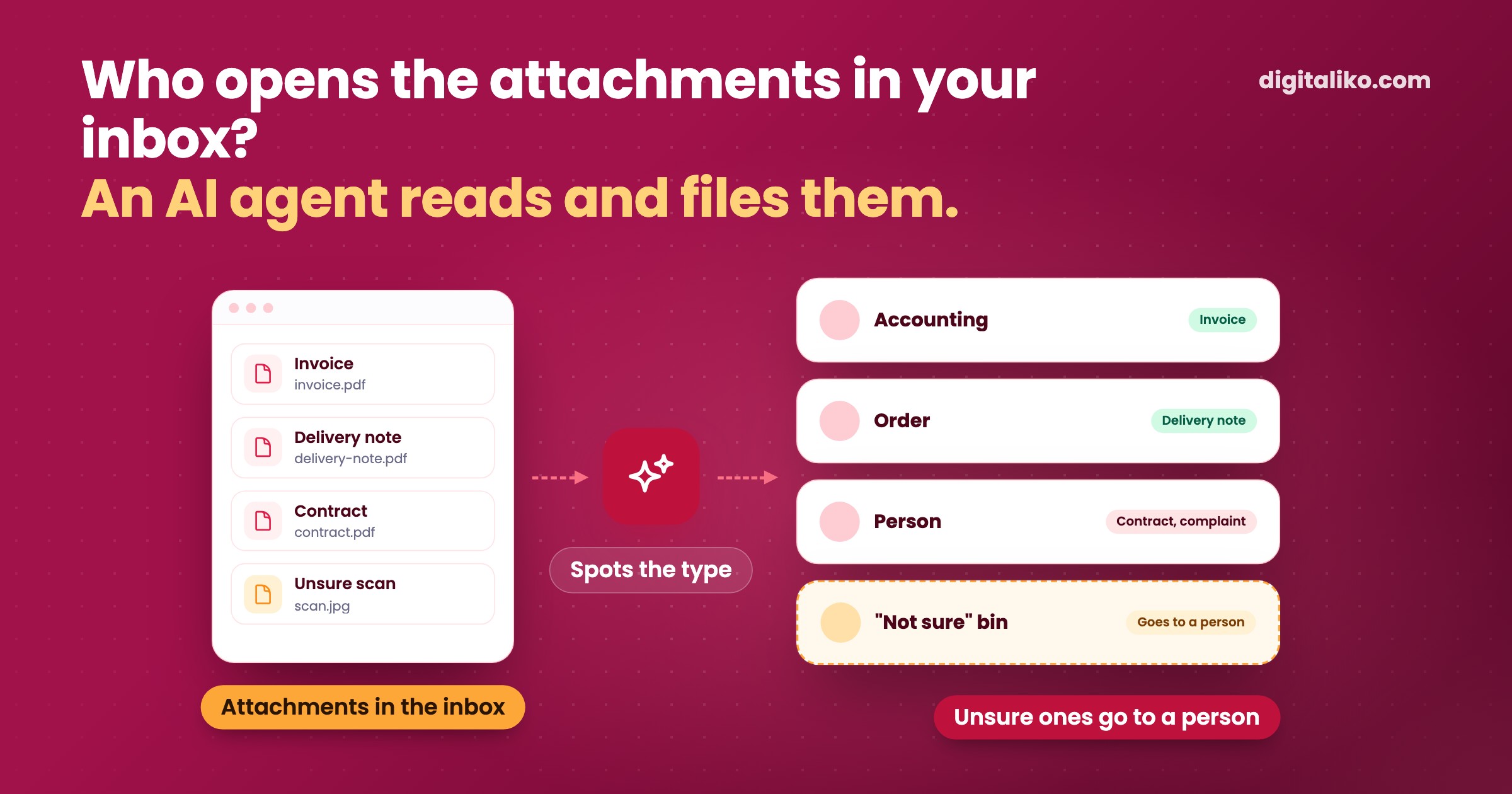
Automatic document processing means an AI agent reads email attachments instead of a person. It recognises whether it is an invoice, a delivery note, a contract or a complaint form. It pulls out the data and sends it where it belongs. Whatever it does not recognise, it sets aside for a person.
This is not digitisation. Most documents already arrive as PDFs today. What is missing is someone to open them, read them and file them. Below you will find how such an agent works, what it can handle and what to leave to a person.
What does an AI agent do with attachments?
The same three things a person does today with the inbox open:
- Recognises the type. Invoice, delivery note, purchase order, contract, certificate, complaint, or none of these.
- Pulls out the data. For an invoice: the supplier, the amount and the due date. For a delivery note: the order number and quantities. For a contract: the parties and the dates.
- Sends it on. The invoice to accounting, the delivery note to its order, the complaint to the person who handles it.
The difference from a plain data extraction tool lies in steps 1 and 3. An extraction tool usually knows one document type and hands the data back to you. The agent works with the mix that really lands in the inbox and finishes the job.
Data extraction tool
- Knows one or a few document types.
- Hands back the data, a person works with it from there.
- Fits when one type arrives in bulk.
- You buy it ready-made and pay monthly.
When a mix arrives
AI agent for documents
- Sorts the mix that really lands in the inbox.
- Writes the data where it belongs.
- Sets unsure documents aside for a person.
- Built around your systems and your document types.
If you only receive invoices, you probably do not need an agent. When extraction is enough is covered in the article Invoice data extraction: OCR tool or a whole system?
How do you set up automatic document processing?
The biggest mistake is to start with a tool. Start with what actually arrives:
01
Sort a sample
We take old attachments and sort them. Which types arrive, from whom, how often and where people send them.
02
Rules for each type
What you need from the document, where it goes and who approves it. Separately for each type.
03
Agent sorts, a person checks
The agent proposes the type and the data, a person confirms. Unsure documents go to the "not sure" bin.
04
Proven types run alone
Only those where the person no longer corrects anything. The rest stay in step 3.
Step 1 looks like a delay, but it shows what the agent does not need to read at all. Attachments include duplicates, logos from email signatures and automatic notifications. The agent does not need to read those; filtering them out is enough.
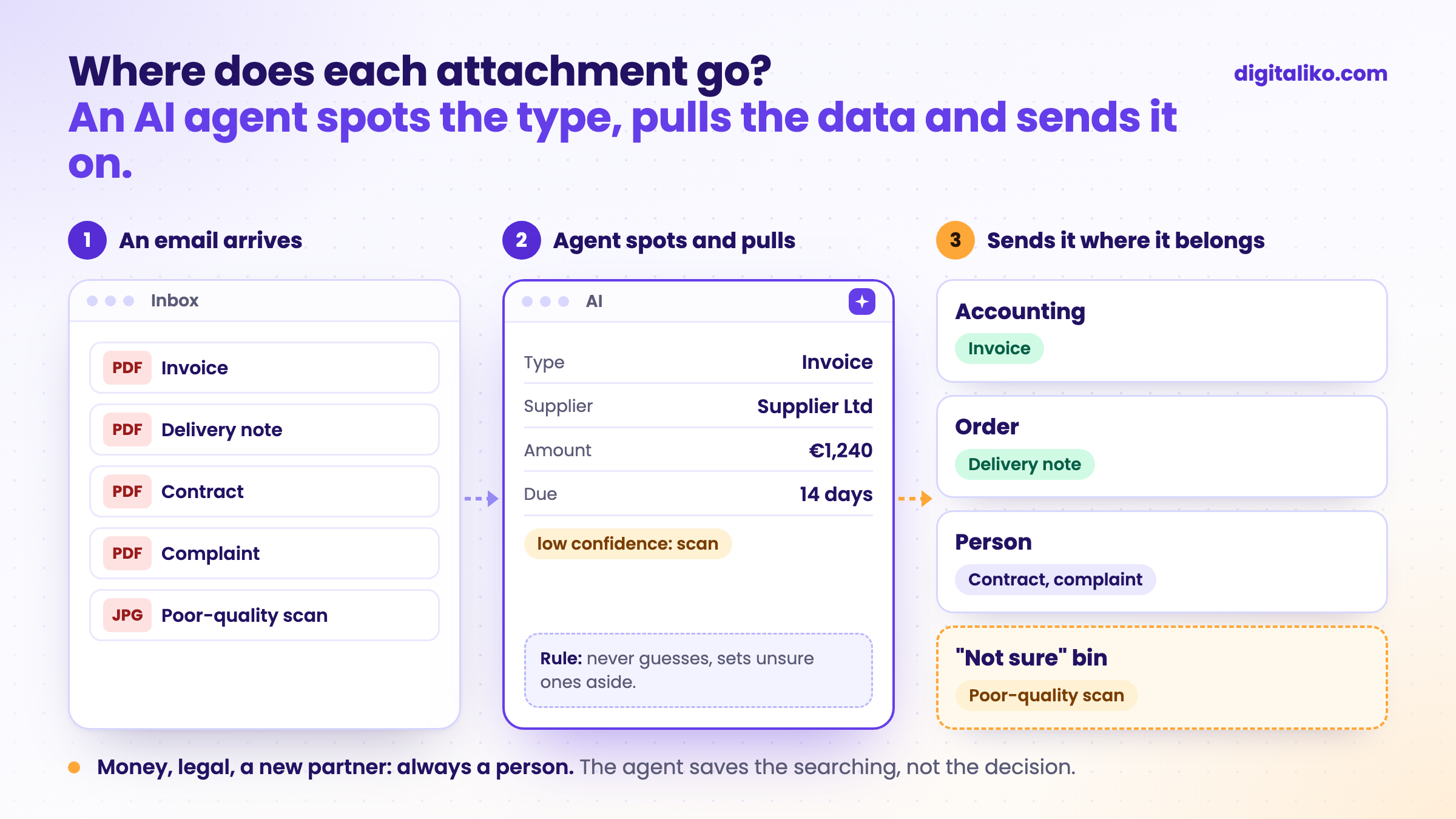
Where does each attachment go?
Once the agent runs, every attachment ends up in one of three places. Whatever the agent cannot file with confidence goes to the "not sure" bin for a person.
Our example: invoices from email
We built an automation for invoices that arrive by email. A person used to open and retype them. Today the system reads them right in the email and enters them into the accounting program.
- per invoice, down from 10 to 15 minutes
- under 1 min
- of invoices go through with no person at all
- 70%
The rest goes through a person on purpose: a scanned invoice, a new supplier, several VAT rates. So we have already automated one document type. With a mix of types the principle is the same, there are just more bins.
The same principle applies to orders that arrive by email. The approach is in the article How to automate email order processing with AI.
What should you leave to a person?
The agent sorts well what it has seen many times. It sorts badly what is new or where a decision is involved:
| Document | Agent | Person |
|---|---|---|
| Invoice from a known supplier | Reads and enters it | Checks a sample |
| Invoice from a new supplier | Prepares the entry | Approves |
| Delivery note for an order | Matches it to the order | Resolves quantity differences |
| Contract or amendment | Files it and pulls the dates | Reads and decides |
| Complaint | Sends it to the right person | Handles it |
| Poor-quality scan | Marks it as unsure | Checks it |
The rule: anything that touches money, legal matters or a new partner goes to a person. The agent saves them the searching, not the decision.
Is it worth it for you?
Tick what applies to you:
When we do not recommend it
- You receive one document type. A ready-made extraction tool is enough.
- There are only a few documents a day. The agent will not pay for itself. Rules and folders in the inbox are enough.
- Documents arrive mostly on paper. First solve how they get into the computer. The agent reads files, not envelopes.
- Nobody can say where each document belongs. Agree on that in the company first. An agent does not sort out chaos, it only speeds it up.
Is your inbox drowning in attachments?
Tell us which documents you receive and where people send them today. We get back to you within two business days with a few questions about your work. Then we agree on what we do first.
If you'd rather talk first, book a 15-minute intro call.
How we build such an agent is described on the page Custom AI agent for your business.
Which attachment does someone at your company open every day just to forward it?
In short
- The agent reads attachments, recognises the document type, pulls out the data and sends it where it belongs.
- Start with a sample of old attachments, not with a tool. It shows what really arrives and what can simply be filtered out.
- Unsure documents go to the "not sure" bin for a person. Money, legal matters and new partners always do.
- If you receive one document type, an extraction tool is enough.
Frequently asked questions
What is automatic document processing?
A system reads a document that has arrived (most often as an email attachment), recognises what it is, pulls out the data you need and sends it where it belongs: to accounting, to an order or to a specific person.
What is the difference between digitisation and document processing?
Digitisation turns paper into a file, for example a scan. Processing is what happens to the file next: who reads it, where it gets entered and who approves it. Most documents already arrive digitally today; what is missing is the processing.
Can an AI agent handle scanned and photographed documents?
Mostly yes, but with less certainty. That is why scans and photos should go to a person for a check more often. The agent has to be able to say it is not sure instead of guessing.
What happens to a document the agent does not recognise?
It ends up in the "not sure" bin with a person. They file it, and their decision goes back into the agent’s examples. You add a new document type once enough of them arrive and the person always sorts them the same way.
Do I need a new document management system for this?
No. The agent reads the inbox you already have and writes into the systems you already use. Think about a new document system only when you lack a place where documents live today.
Ask AI about this article
The AI also draws on our other articles and experience from real projects.
ChatGPTClaudePerplexity

