How to prepare a quote from an inquiry in minutes?
AI agents · Updated

Filip Papranecfounder of Digitaliko
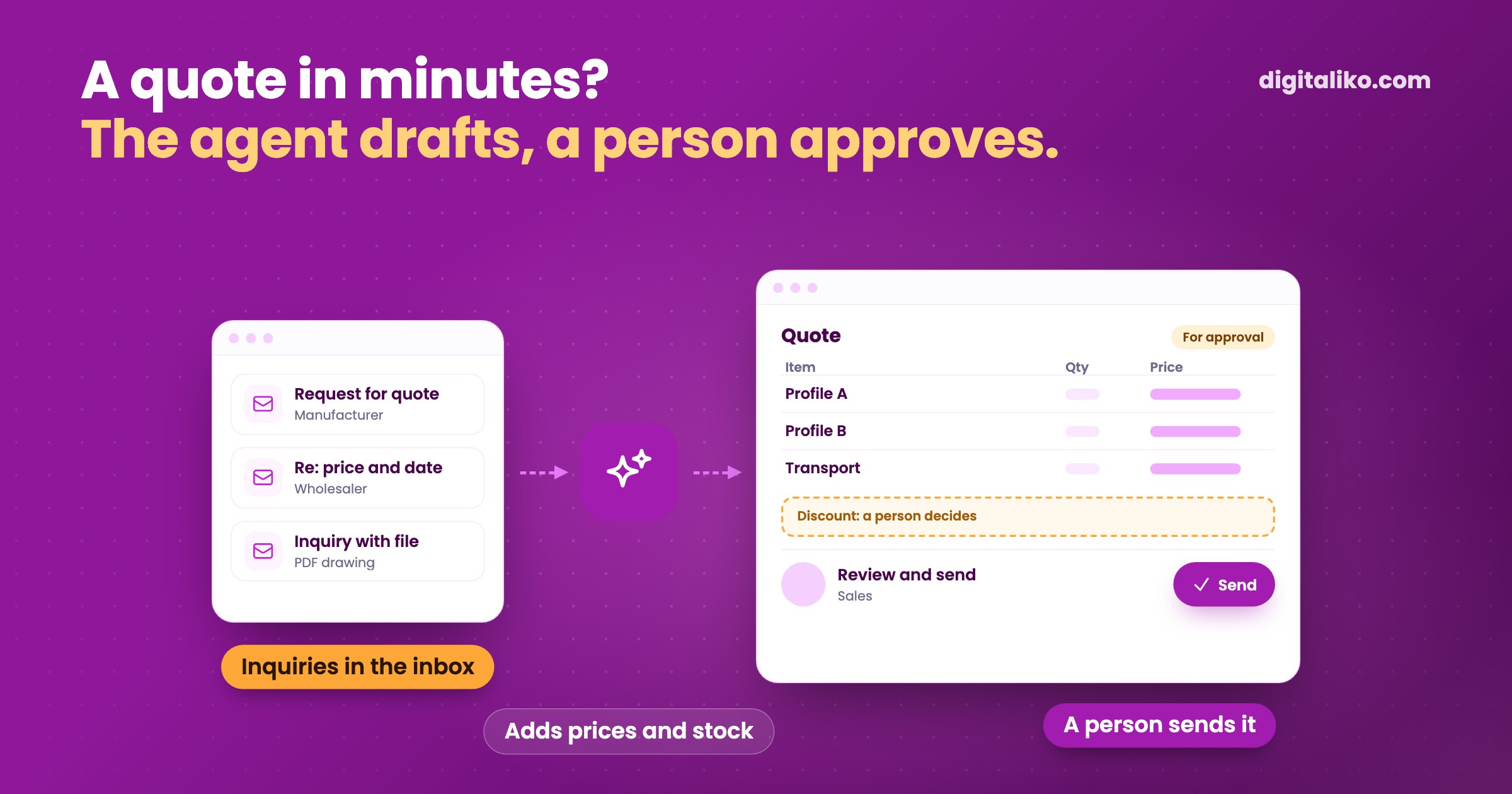
If you are looking for a quote template: a header with your and the customer’s details, line items with price and VAT, how long the quote is valid and the terms are enough. But a template does not get a quote out in minutes. Where you take the prices from does. An AI agent reads the inquiry from an e-mail or form, finds the items in your price list, adds availability and previous quotes for that customer and prepares a draft. A person approves the price, discount and date and sends the quote.
Below you will find what a quote should contain and where each piece of data comes from, what the agent prepares, what a person has to decide, and when it pays off.
What must a quote contain?
A quote does not have to look like an invoice. But the customer has to see what they get, for how much and until when the price holds. These are the fields that repeat in every good quote, and where the agent can take them from:
| Field | Where the agent takes it from |
|---|---|
| Customer details | From the inquiry, completed from the company register by company number or from your system |
| Items and quantities | From the inquiry text, an attached file or a drawing |
| Unit prices | From your price list or the customer’s price group |
| Availability and date | From stock or the production plan |
| Previous quotes | From your system: what you last offered this customer |
| Validity and terms | From the company’s fixed rules |
What the table leaves out is the discount and the final price on a non-standard job. Those are decisions, not data.
How does an AI agent prepare a quote from an inquiry?
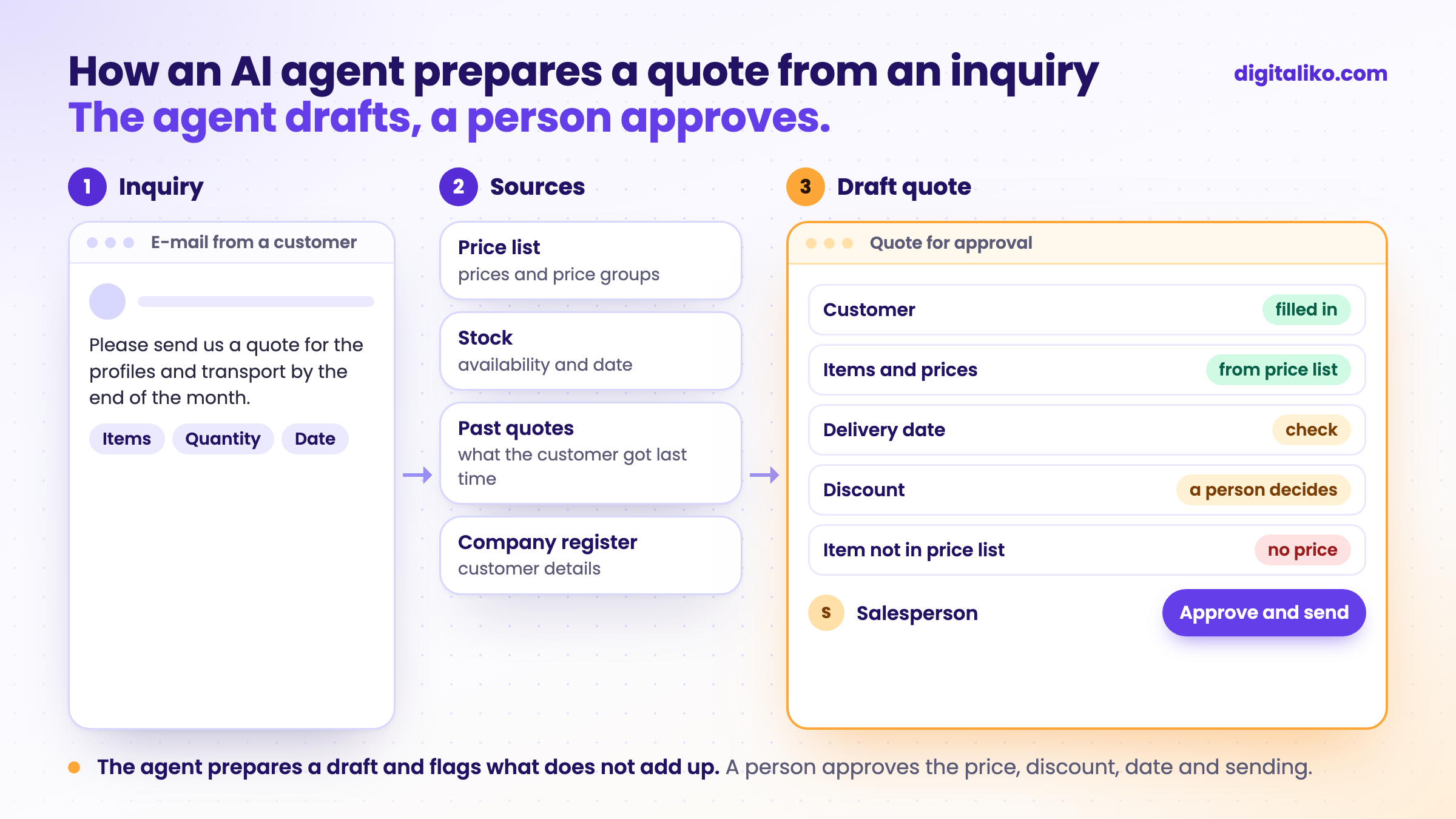
Today a salesperson often writes a quote from five windows. The inquiry in e-mail, the price list in Excel, stock in another program, old quotes in a folder and the template in Word. The agent does the same, just all at once:
01
Reads the inquiry
E-mail, form or attachment. It pulls out what the customer wants, how much and by when.
02
Matches items to the price list
Even when the customer names an item their own way. What it cannot match, it flags.
03
Adds availability and history
What is in stock, when it can be delivered and what you last offered this customer.
04
Prepares a draft quote
In your system or your template, not in yet another tool.
05
A person approves and sends
They see the draft, the inquiry and the flagged differences. They adjust the price or date and send it.
Steps 2 and 3 save the most time. Finding what an item is called in the price list and whether it is in stock is exactly the work that keeps a quote waiting until the evening.
Automated e-mail order processing works in a similar way. The difference is that on an order the price is set. On an inquiry it still has to be put together, so more decisions stay with a person.
What does the agent prepare and what does a person approve?
A quote commits you to a price and a date. A mistake in it cannot be fixed with a credit note, because the customer has already seen it. So we recommend splitting the work like this:
The agent prepares
- Customer details and items from the inquiry.
- Prices from the price list and the customer’s price group.
- Availability and a possible date.
- A warning about what is missing or does not add up.
A person decides here
A person decides
- The discount and the final price.
- A date the company will actually meet.
- Non-standard items outside the price list.
- Sending it to the customer.
The agent should speak up when something does not fit: an item is not in the price list, the customer wants less than the minimum quantity, the date is shorter than production allows. How to decide where an agent should wait for a person is covered in Human in the loop: when should an AI agent wait?
An example from freight forwarding: the quote depends on the carrier
In freight forwarding, a transport quote cannot be written from a price list. The price depends on which carrier is free, where their truck is and what they will charge. So a dispatcher looks for a carrier before every quote.
For KIABA we built a system where dispatchers find carriers on a map instead of in spreadsheets and phone calls. The quote is still down to a person. What gets faster is what they build it from.
That is why a quote agent does not start with the template but with the inputs. First the price list and availability in a system, then an agent that builds a draft quote from them.
Does a quote agent pay off for you?
Tick what is true about your quotes:
When we do not recommend it
- You send a few quotes a month. A template and a price list in one place are enough.
- Every quote is a project. If you build the price from conversations, drawings and labour estimates, the agent prepares the inputs, but not the quote.
- Prices are not written down anywhere. The agent has nowhere to take them from. Price list first.
- You want quotes to go out unchecked. A quote commits you. Without a person who approves it, we do not recommend it.
Are your customers waiting until the evening for a quote?
Tell us how you prepare quotes today and where you take the prices from. We get back to you within two business days with a few questions about your work. Then we agree on what we do first.
If you would rather talk first, book a 15-minute intro call.
How we build AI agents that prepare work for approval is described on Custom AI agent for business. The agent and the code are yours from day one.
How many inquiries went to a competitor last month because your quote came too late?
In short
- A quote template covers the form: details, items with price and VAT, validity and terms.
- The time goes into finding prices, availability and old quotes. An AI agent can prepare that.
- The agent prepares a draft and flags what does not add up. A person approves the price, discount, date and sending.
- An agent is only as fast as its access to prices. Get the price list into a system first.
Frequently asked questions
What must a quote contain?
Your details and the customer’s, the quote number and date, line items with quantity, unit price and VAT, the total, how long the quote is valid, the delivery date and payment terms. For services, also what the price does not include.
How do I prepare a quote quickly?
With a few quotes a month, a good template and a price list in one place are enough. If there are more and each one means looking up prices, stock or previous quotes, an AI agent helps: it prepares a draft from the inquiry, and a person only checks and sends it.
Can an AI agent send a quote to the customer on its own?
We do not recommend it. A quote commits you to a price and a date. The agent prepares it and flags what is missing or does not add up. A person approves the price, discount, date and sending.
What is the difference between a quote and an e-mail order?
With an order, the customer already knows what they want and the price is set. With an inquiry, the price still has to be put together: choose the items, check availability, add transport or labour. That is why more decisions stay with a person on a quote.
Ask AI about this article
The AI also draws on our other articles and experience from real projects.
ChatGPTClaudePerplexity

